
if.team now features bulk data editing
Bulk editing enables you to focus on important tasks, as routine operations can now be performed with just one click.
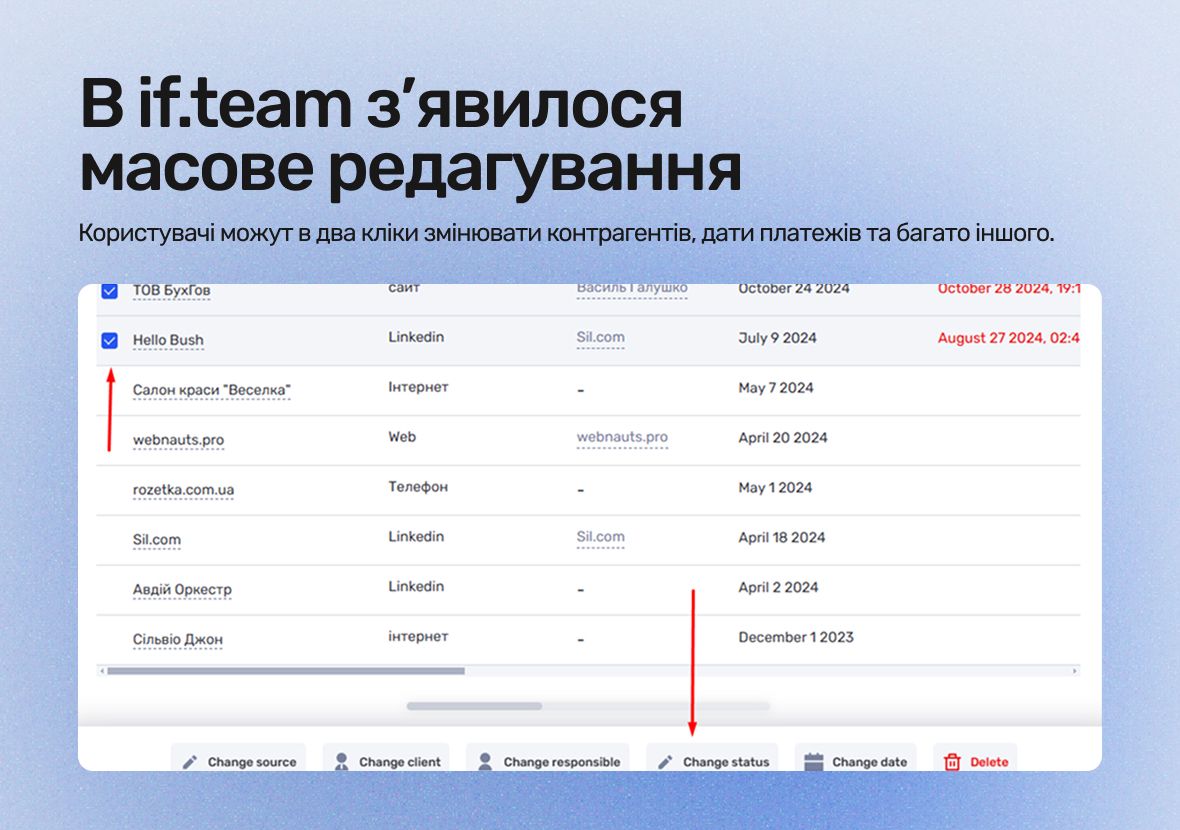
We’ve updated the functionality for working with data in if.team to make your work faster and more convenient. Now, there’s no need to edit each entry individually — bulk editing allows you to change multiple items at once, saving you a significant amount of time.
Bulk editing enables you to focus on important tasks, as routine operations can now be performed with just one click. As a result, you’ll spend less time updating data and be able to improve your overall productivity while using if.team.
What's new in if.team and how bulk editing works
The system allows you to change dozens of records in a matter of seconds. It is enough to select the required rows in the table, choose an action from the list (for example, update, delete, or change parameters) and apply it to all selected items. This eliminates the need to manually edit each record individually, which is especially useful when making group updates or corrections.
The mechanism automatically synchronizes changes, reducing the time spent on the routine to a minimum. Even with large-scale edits, data is updated instantly, and the risk of errors is reduced. This gives you control over large amounts of information without sacrificing productivity – ideal for quick operations or assigning the same settings to groups of objects.
Bulk Editing of Transactions
Bulk editing of transactions allows you to make changes effortlessly. You can update transaction statuses, change counterparties, edit planned and actual payment dates, as well as adjust income and expense categories. Additionally, you can modify the P&L linkage, update the bank account associated with the transaction, and much more.
One of the most useful features is bulk deletion of transactions. If some transactions are no longer needed, you can delete them all at once. This helps keep your table clean without wasting time, which is especially important when working with large datasets.
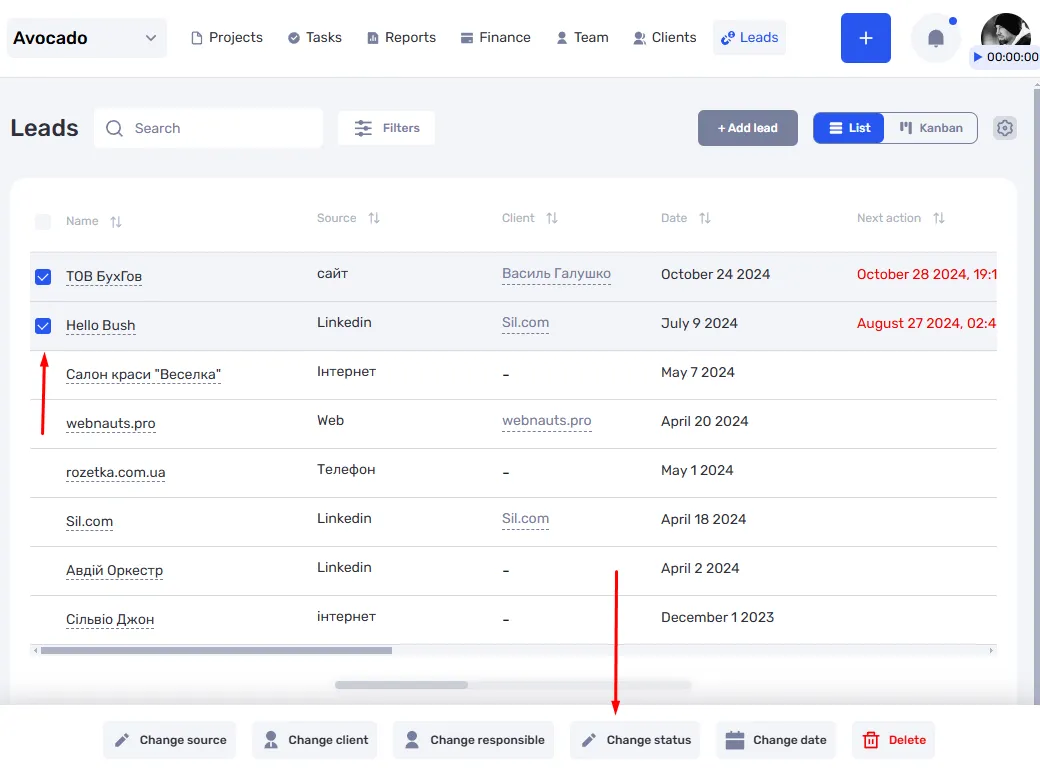
Bulk Editing of Leads
Bulk editing of leads works on the same principle as with transactions. You can change lead statuses, assign or change responsible persons, edit lead dates, update lead sources, and modify client information. If a lead is no longer relevant, it can be deleted with just one click, without needing to open each individual lead.
This feature not only allows you to quickly update lead information but also helps maintain the relevance of your database with minimal effort. With bulk editing, you save time and reduce the likelihood of errors, ensuring greater efficiency in working with leads.
Author
Vladyslav ChesnokovPublished
Feb 21, 2025
Was this update helpful?
Your feedback helps us prioritise what to ship next.
Start your free 7-day trial
No credit card required. Get full access to all features and see how if.team can transform your team's workflow.