
What’s new in if.team — March 2026
In March, we continued improving if.team based on your feedback. This month’s updates focus on comments, financial tools, project structure, analytics, and everyday usability improvements.
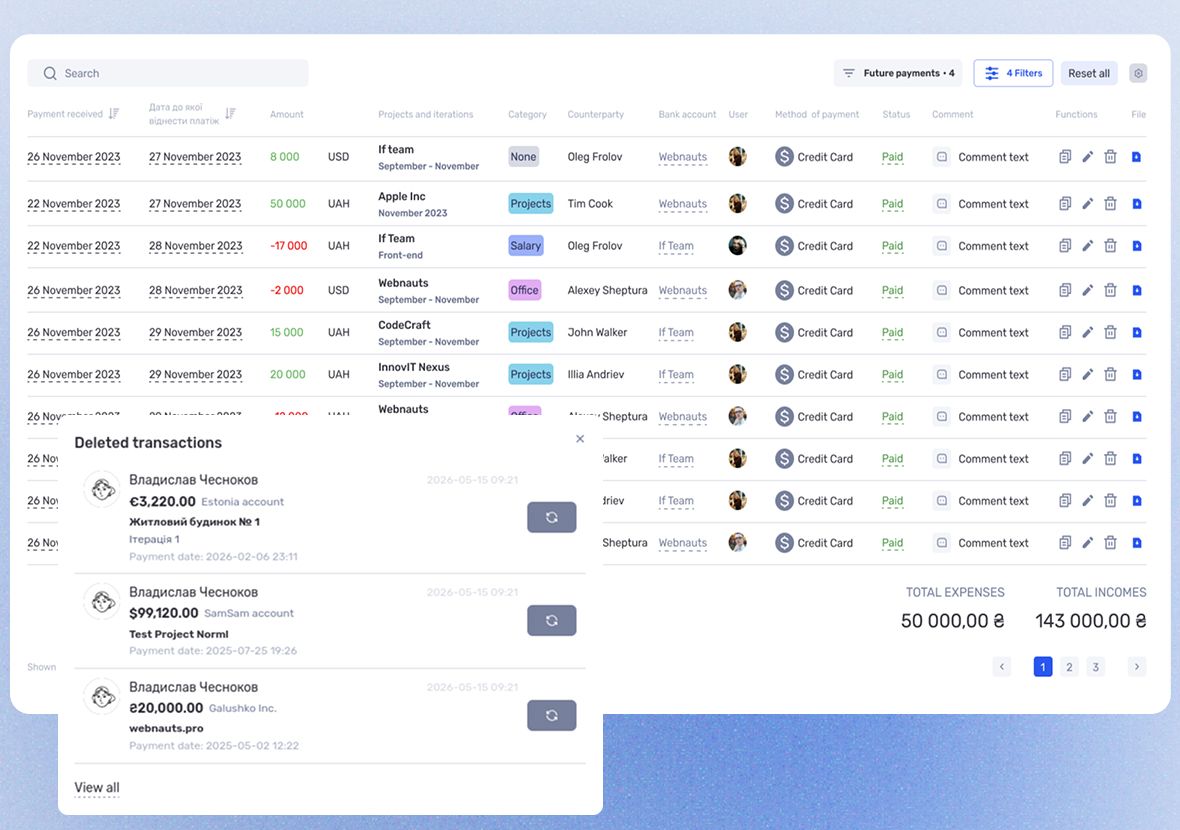
Below are the main changes and improvements.
Updated comment system
We’ve significantly improved the comment system in tasks and leads, making discussions more structured and flexible.
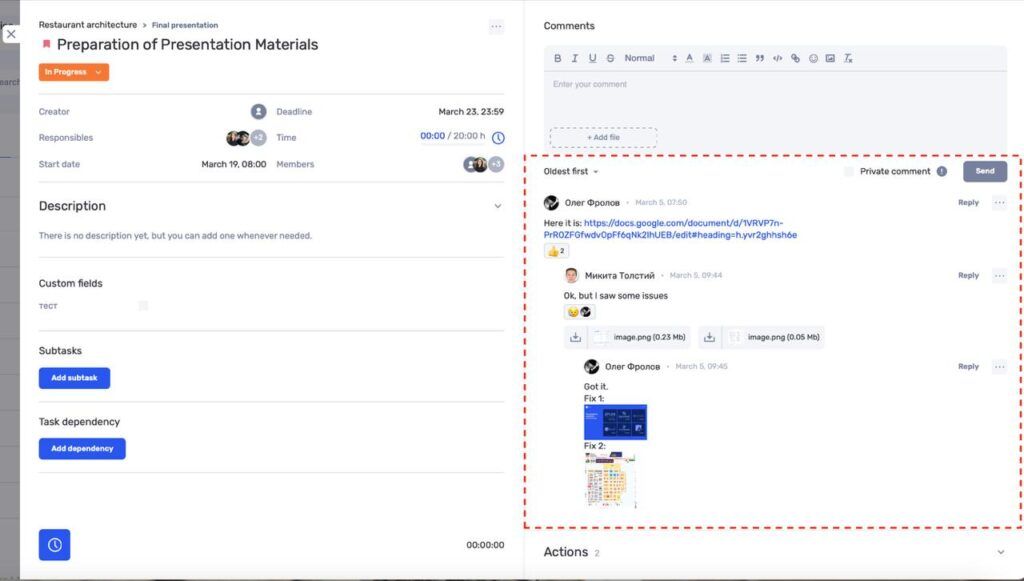
Updates include:
- added comment sorting — newest to oldest and vice versa;
- added reactions to comments;
- increased thread depth to 3 levels of replies;
- implemented the same improved comment system in leads;
- improved interface and file drag-and-drop;
- various fixes and technical improvements;
- updated related functionality in the mobile app.
Commenting is now more structured and better suited for team collaboration in complex discussions.
Improvements in tasks, transactions, and settings
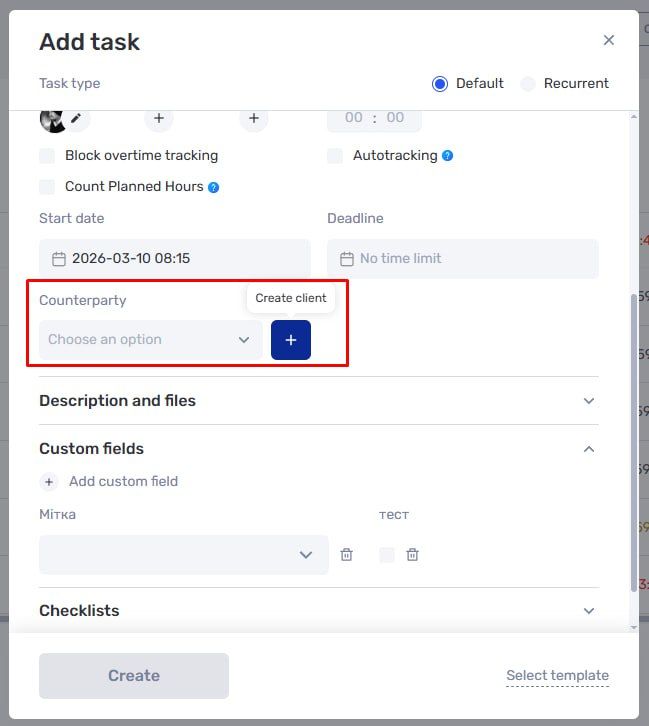
We also delivered a set of smaller but important improvements for daily workflows:
- you can now create and attach a counterparty directly in tasks and transactions;
- a primary time zone selector was added when creating a new company;
- phone number validation and input masks were added to user profiles and company settings;
- pagination in tasks, transactions, leads, and other sections now supports up to 100 items per page.
Project iteration hierarchy
Projects now support a two-level hierarchy of stages, phases, or work sections.
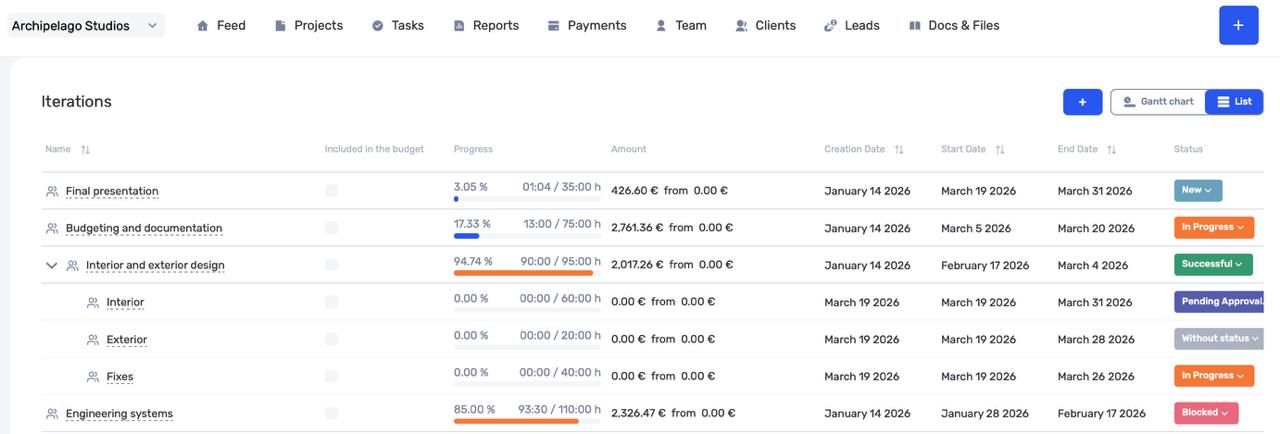
This allows you to:
- group large work streams;
- break them into more detailed blocks;
- improve filtering across tasks, finances, and analytics;
- evaluate profitability of each project segment separately.
This is especially useful for complex, multi-stage projects with multiple work directions.
Project profitability based on actual payments
We’ve added a new way to calculate project profitability based on actual received payments.
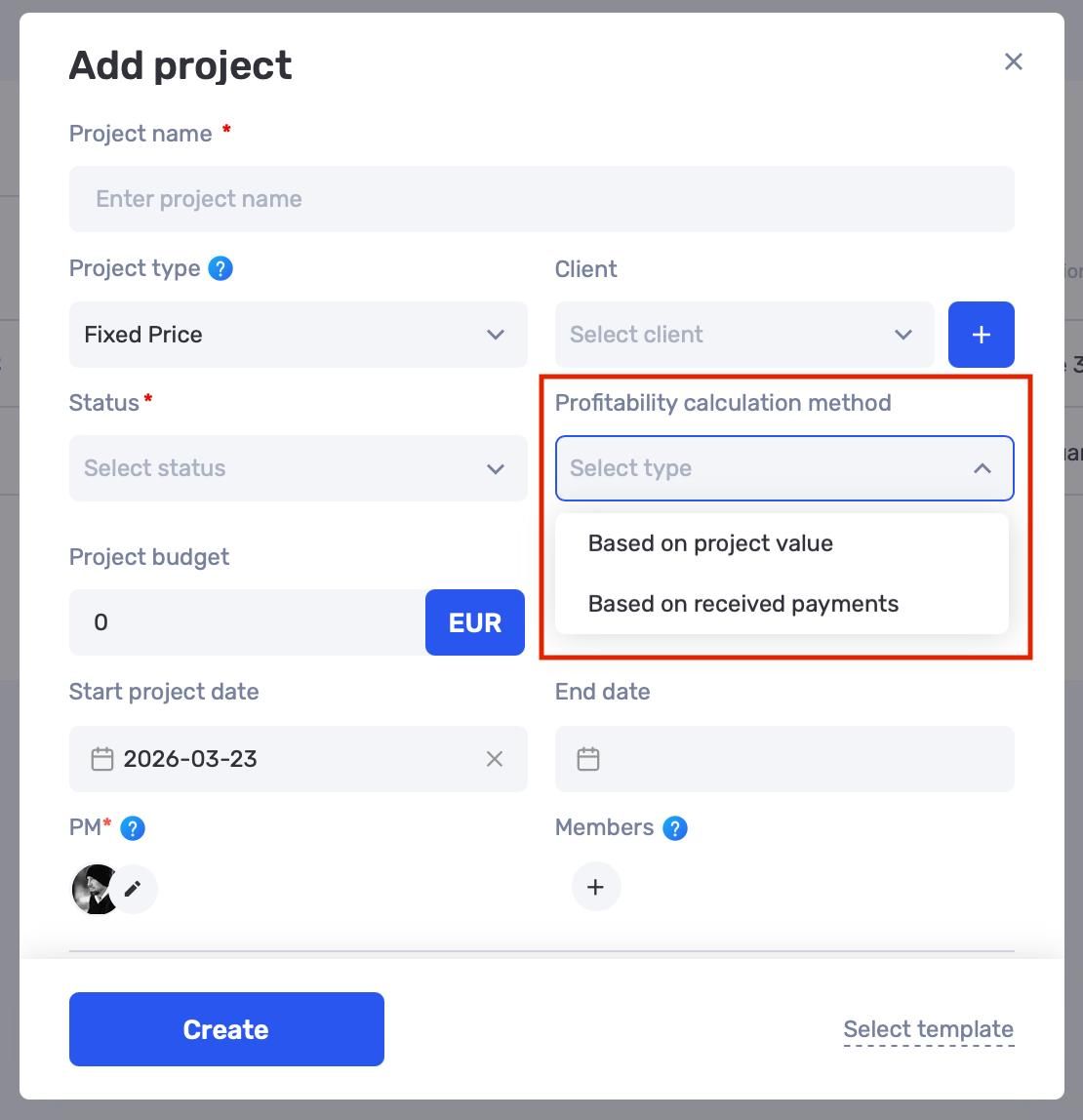
You can now choose the profitability calculation method in project settings:
- planned value;
- budget;
- actual payments.
This is useful for projects where revenue is incremental or depends on sales, subscriptions, tickets, or phased payments.
Financial module updates
In March–April, we are rolling out a major upgrade of the financial module. The first part is already live.
What’s new:
- integration with PUMB Bank;
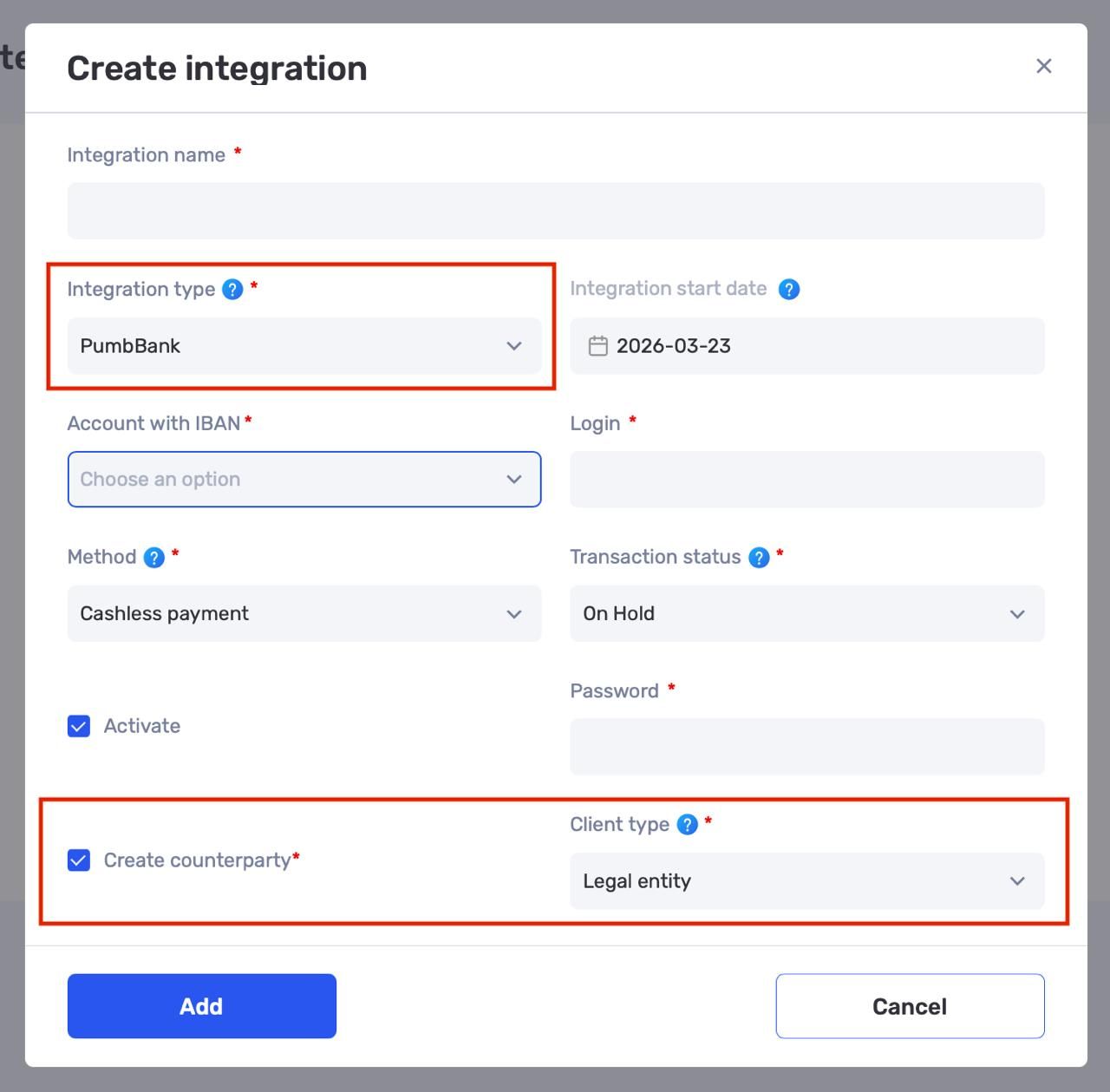
- automatic counterparty creation when importing payments from banks and payment systems;
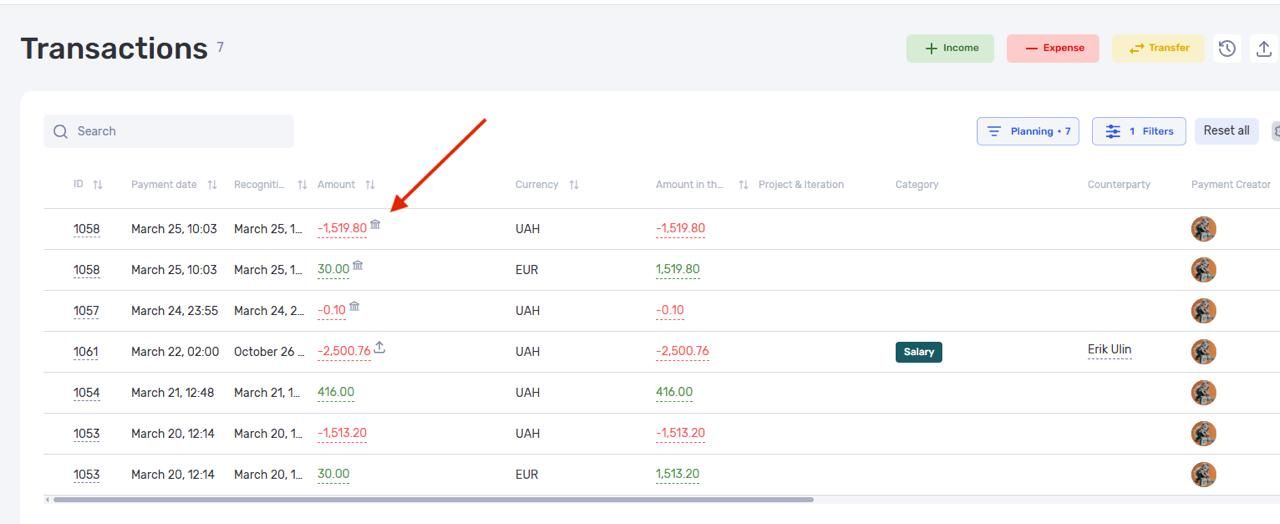
- transaction source labels — bank, API, import, recurring payment, or manual entry;
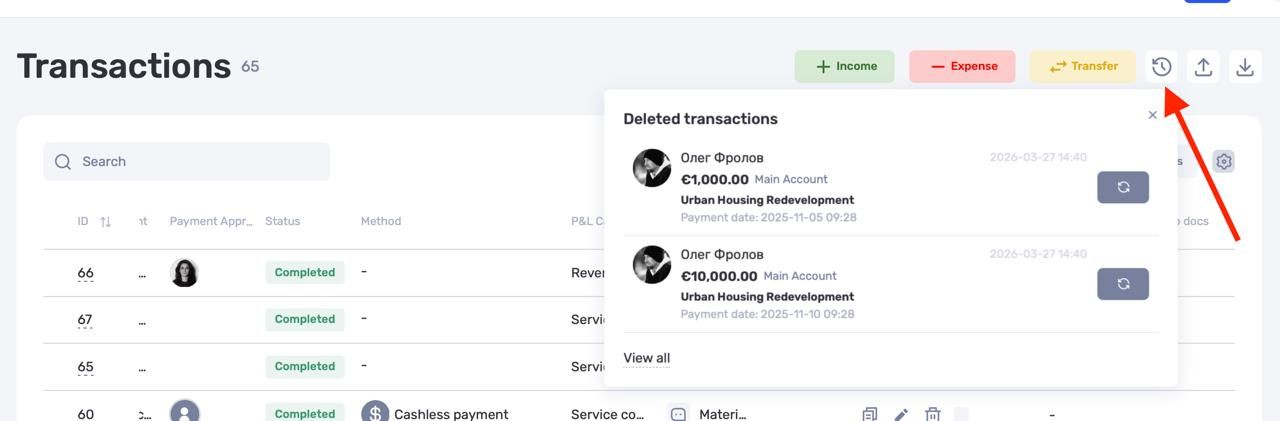
- transaction deletion history with restore from trash;
- improved currency exchange workflows and multi-currency handling.
For example, you can now enter either the initial or final amount, and the system will calculate the exchange rate automatically.
The next part of the financial update is coming soon and will include recurring payments, hidden accounts, new filters, and more.
Author
Vladyslav ChesnokovPublished
Mar 31, 2026
Was this update helpful?
Your feedback helps us prioritise what to ship next.
Start your free 7-day trial
No credit card required. Get full access to all features and see how if.team can transform your team's workflow.