
Interface Improvements, Workflow Enhancements, and New Planning Tools in if.team
At the end of December, we released a major update focused on improving the day-to-day workflow in if.team. It covers interface responsiveness, chat, file, and report handling, and introduces a new tool for visual project planning.
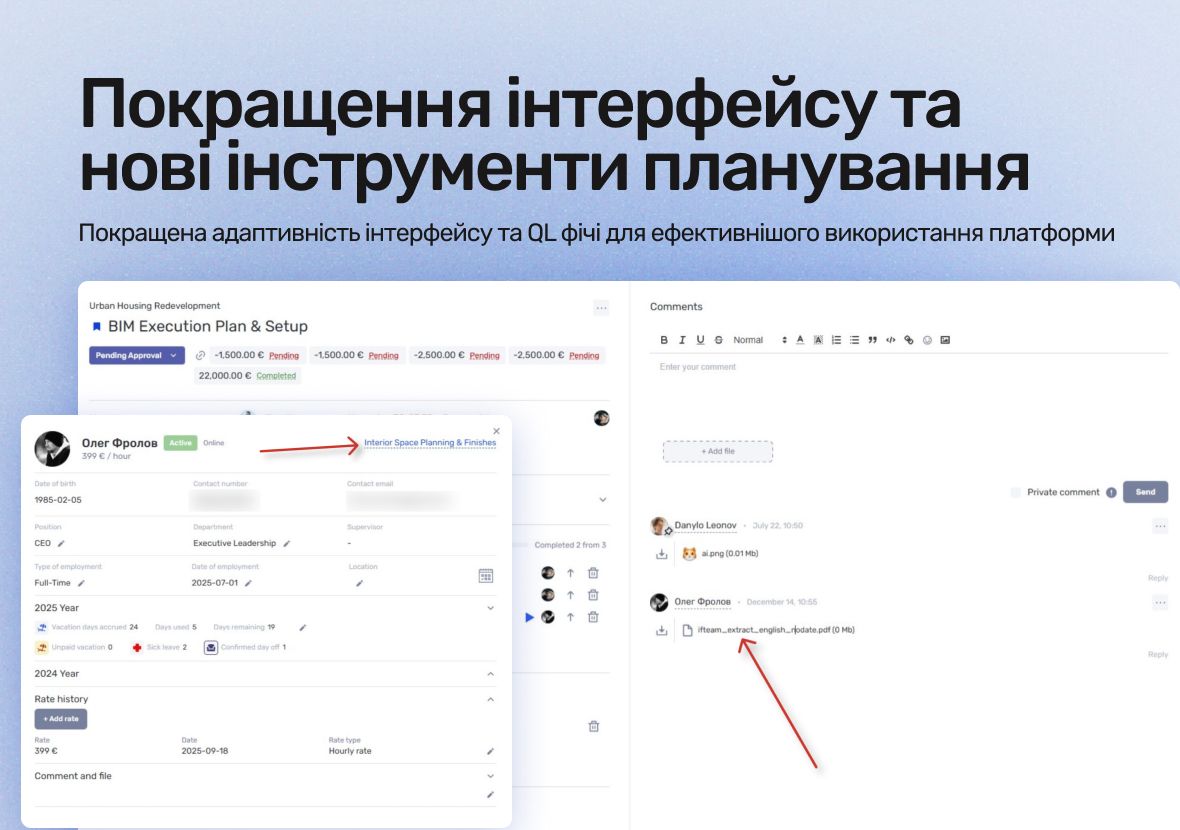
Improved Interface Responsiveness
We significantly updated the responsiveness of key system sections — leads, projects, clients, and other modules. Using if.team on mobile devices, tablets, and small laptops is now much more convenient.
Interface elements now adjust more accurately to screen size, and navigation is simpler in limited space. This is an important step toward mobility — additional updates for the mobile app are planned soon.
Unread Messages in Collapsed Chat Tab
When the Chats tab is collapsed, it now shows the number of chats with unread messages. This lets you see at a glance if someone has messaged you, even when chats are not open, ensuring you don’t miss important notifications while working in other sections.
Active Task in Employee Profile
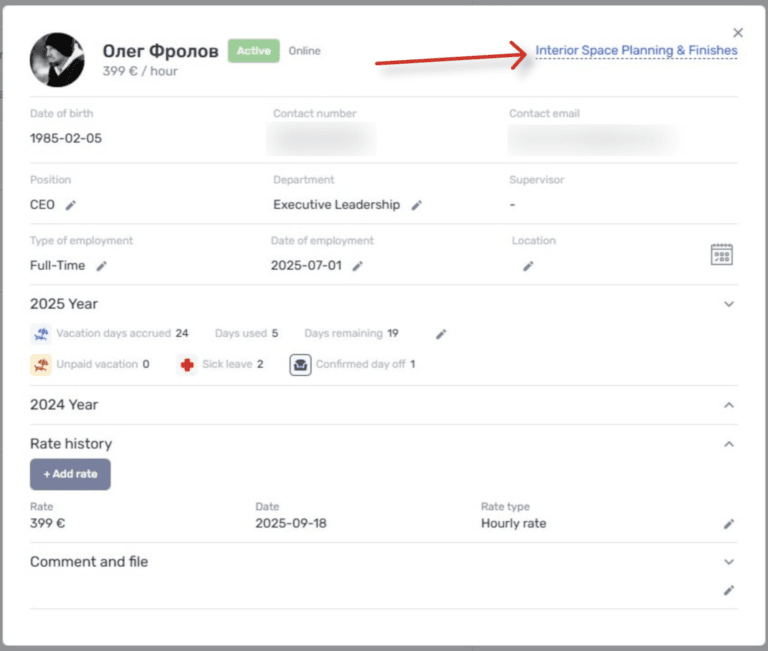
The employee profile now shows a link to the task currently being tracked. This makes it easier to monitor and quickly understand what each team member is working on.
Combined with the previously added “online” and “last seen in if.team” indicators, the employee profile is now more informative for managers and team leads.
Image Embedding in Description Fields
You can now insert images directly into description fields in tasks, projects, leads, and other entities.
This is useful for:
- explaining tasks with screenshots;
- documenting bugs or visual corrections;
- keeping context without needing to open attachments separately.
Images become part of the description and always appear exactly where they are needed.
Exporting Clients and Contractors to Excel
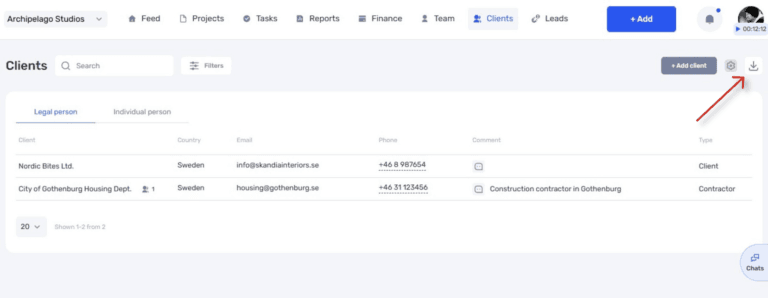
The clients and contractors table can now be exported to an Excel file. The system respects:
- which columns are visible;
- the order of columns in the table.
This means you get a file exactly as it appears in the system, without additional manual adjustments.
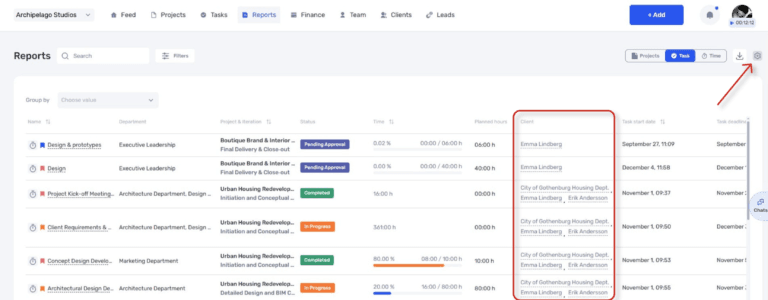
Client Column in Task Reports
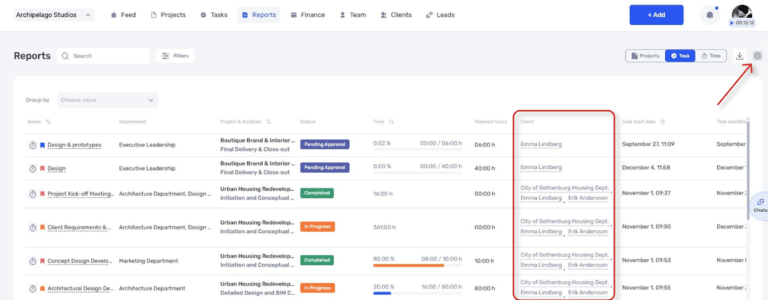
A new column has been added to task reports showing the client or contractor associated with each task. This could be a customer, vendor, or other role depending on your business logic.
As in other if.team tables, the column can be shown or hidden, and its order can be adjusted. This makes analyzing tasks by client much easier.
Convenient PDF Viewing
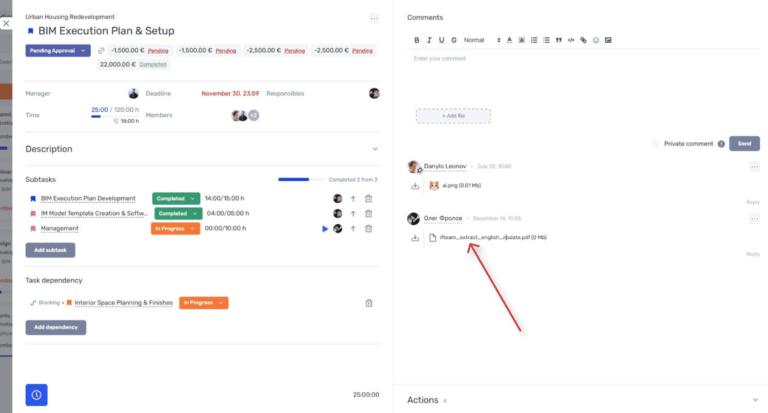
Attached PDF files can now be opened directly in a separate window without downloading, in addition to the option to download them. This saves time and simplifies document handling — especially when you need to quickly check a file and return to the task.
Gantt Chart for Project Iterations
We added a Gantt chart for project iterations. It displays project stages or parts as a calendar view, broken down by days and weeks.
Using the chart, you can:
- see the overall timeline of a project;
- adjust deadlines and shift iterations with a single click;
- track stage progress by comparing actual hours to planned hours.
This simplifies planning, especially for long-term or multi-phase projects.
Author
Vladyslav ChesnokovPublished
Jan 1, 2026
Was this update helpful?
Your feedback helps us prioritise what to ship next.
Start your free 7-day trial
No credit card required. Get full access to all features and see how if.team can transform your team's workflow.