
if.team updates — new features and improvements
We’ve prepared a major package of updates in if.team. Working with tables, projects, and finances has become even more convenient
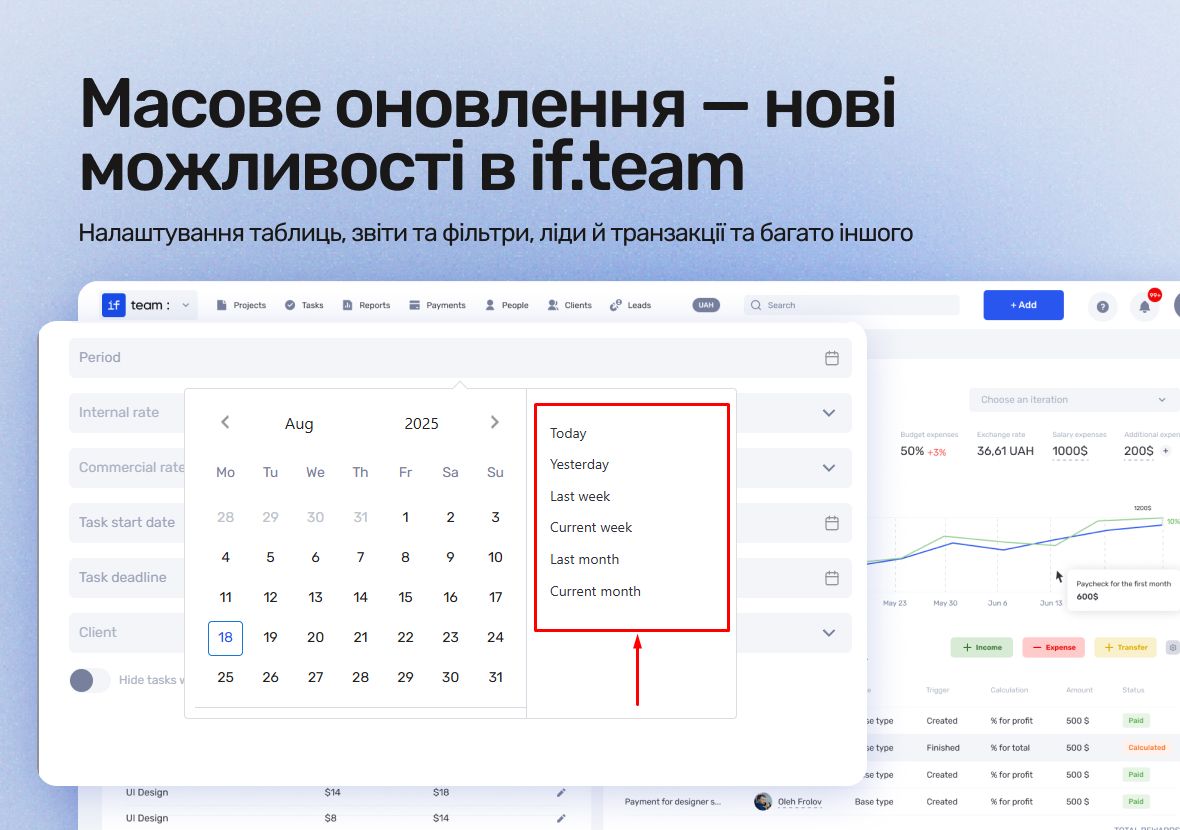
Table settings
You can now change the order of columns in tables — projects, tasks, leads, reports, and more.
Each user can configure the structure individually and adjust data display to their needs.
Time & Material
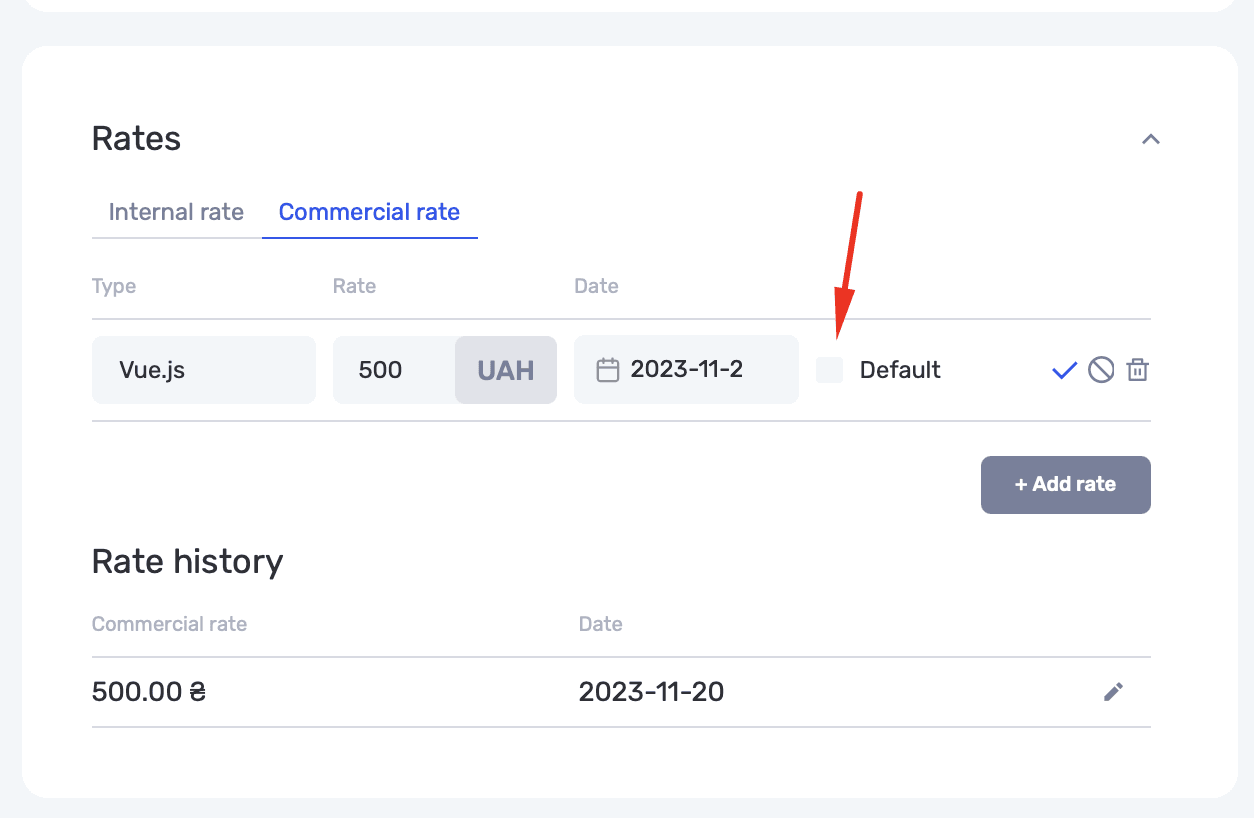
In projects of this type, you can set a base commercial rate. It will be automatically applied to new tasks, even if the user doesn’t have access to rate settings.
Reports and filters
We’ve expanded reporting capabilities:
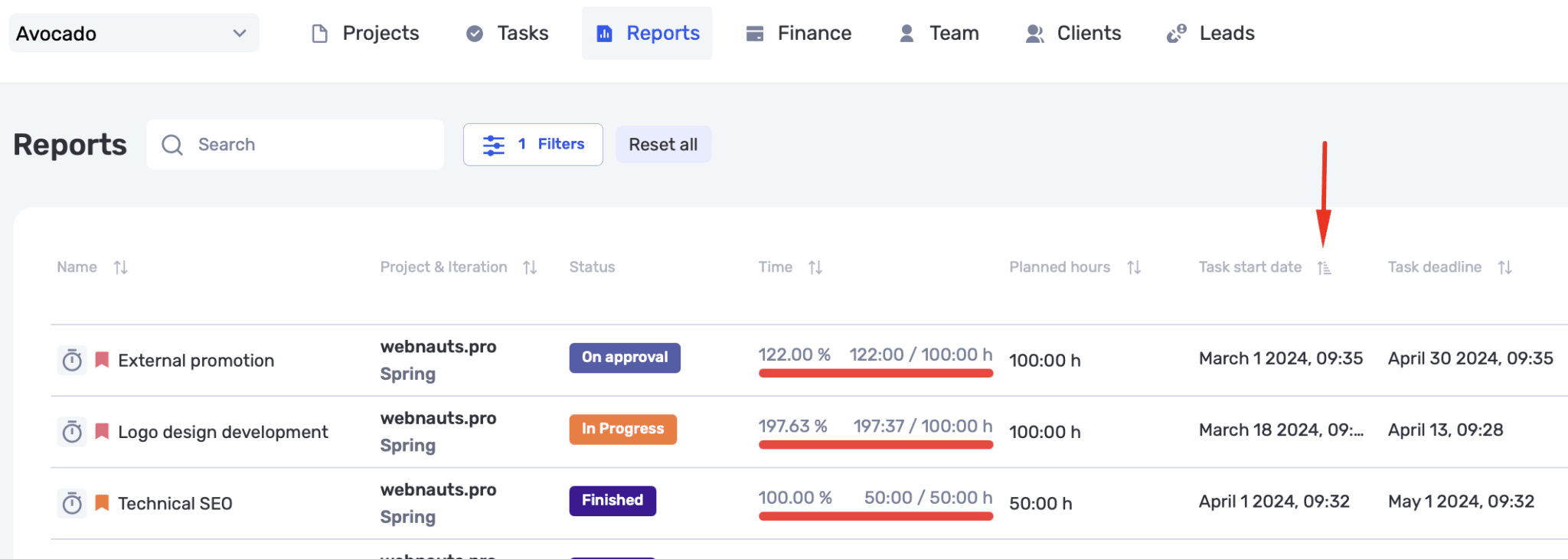
- Sorting is now available in reports.
- Added filtering by custom fields (activated in the admin panel).
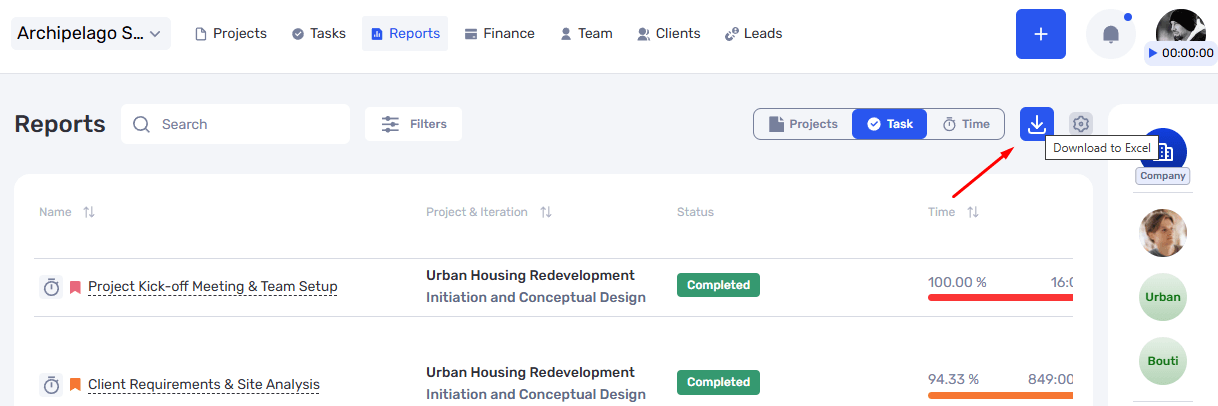
- Excel export now respects column order and all individual settings.
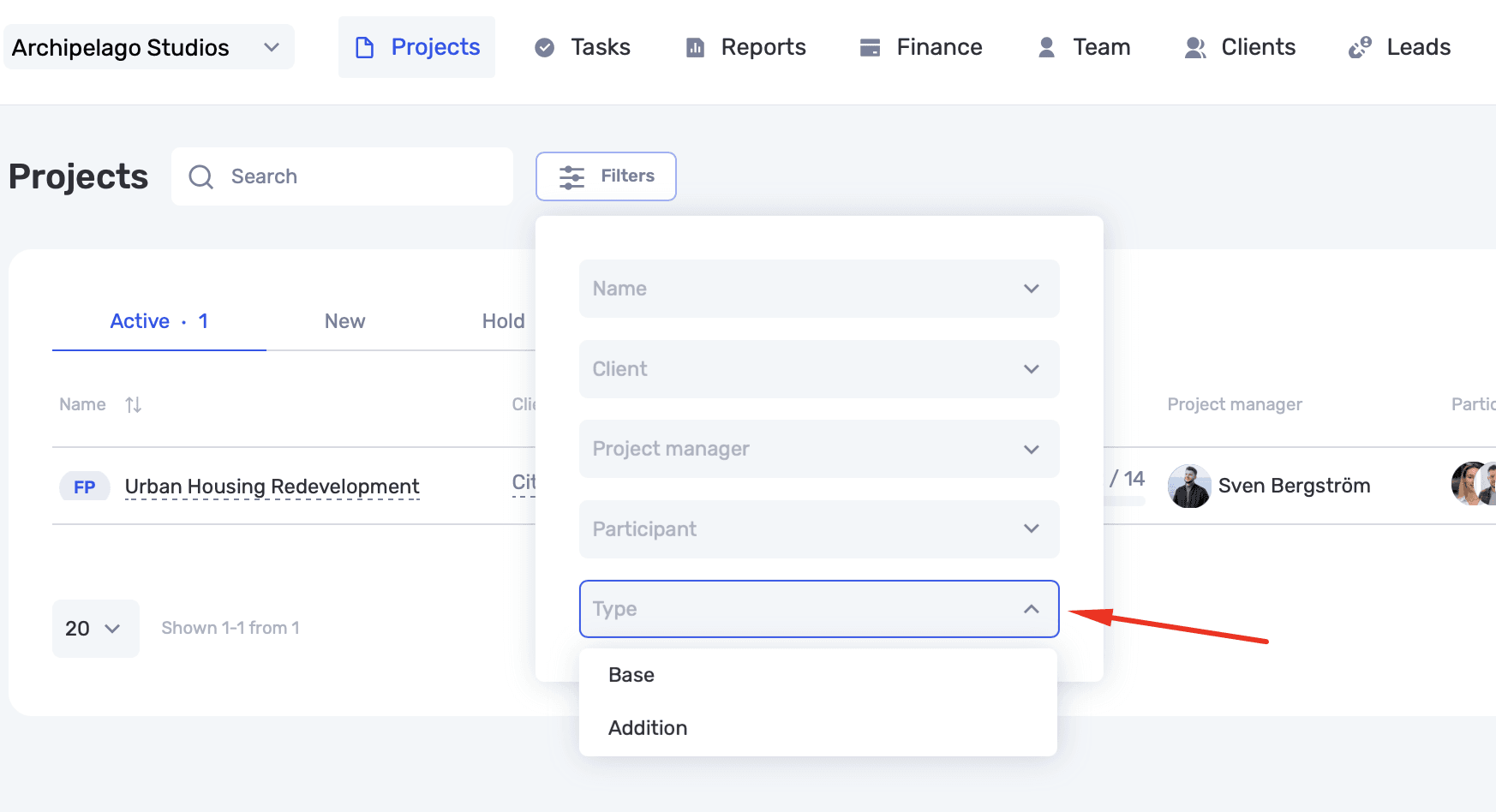
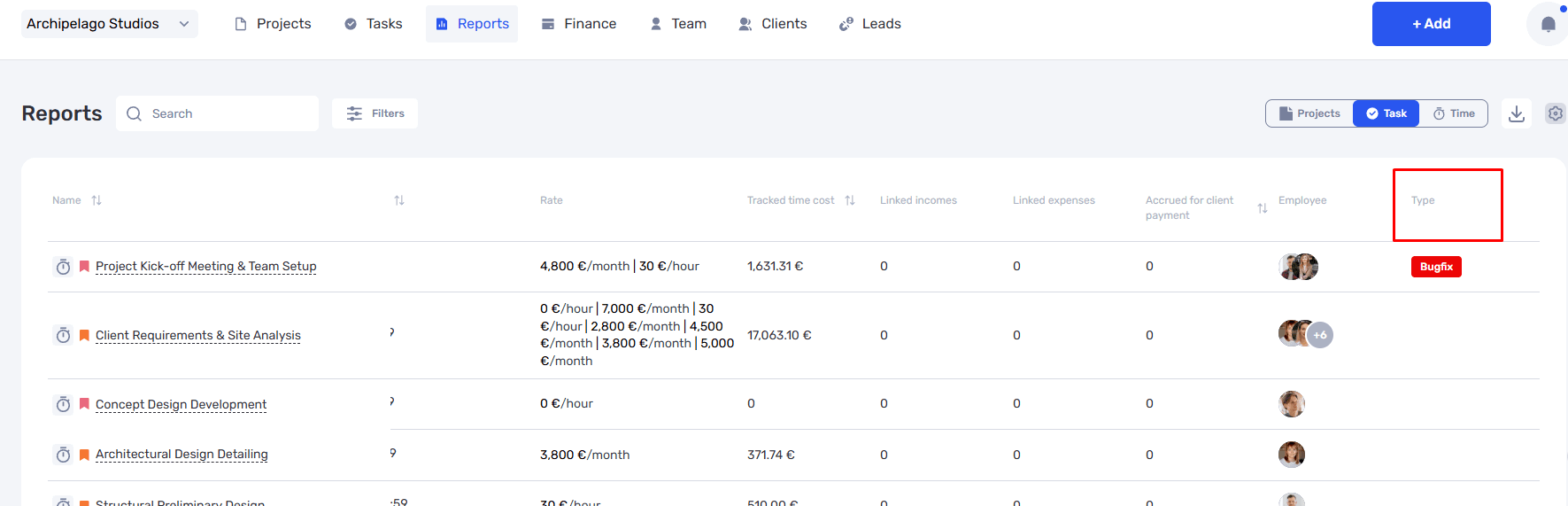
- Task reports can display custom fields, and totals are automatically calculated for numeric fields.
Leads and transactions
Task reports can display custom fields, and totals are automatically calculated for numeric fields.
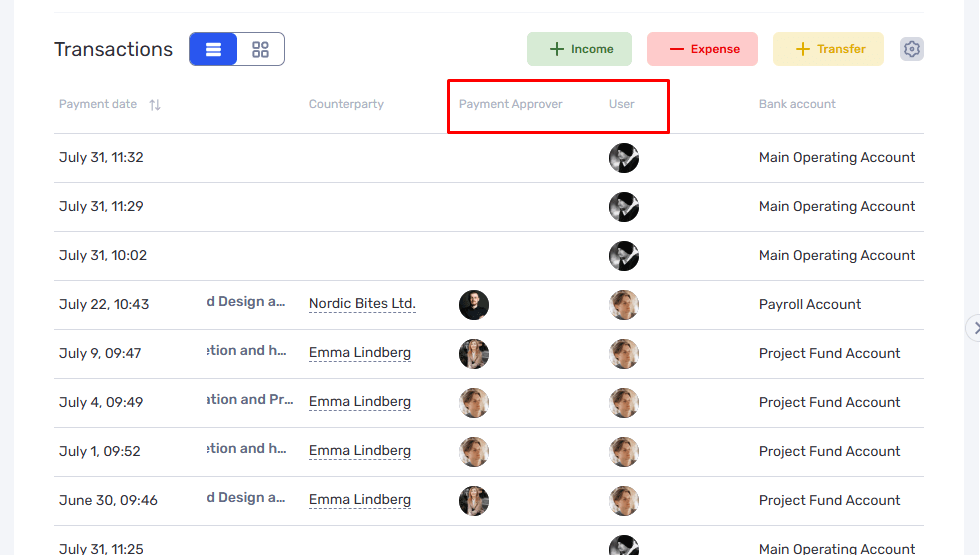
In the project transaction list, you can now see both the initiator of the payment and the person responsible for processing it.
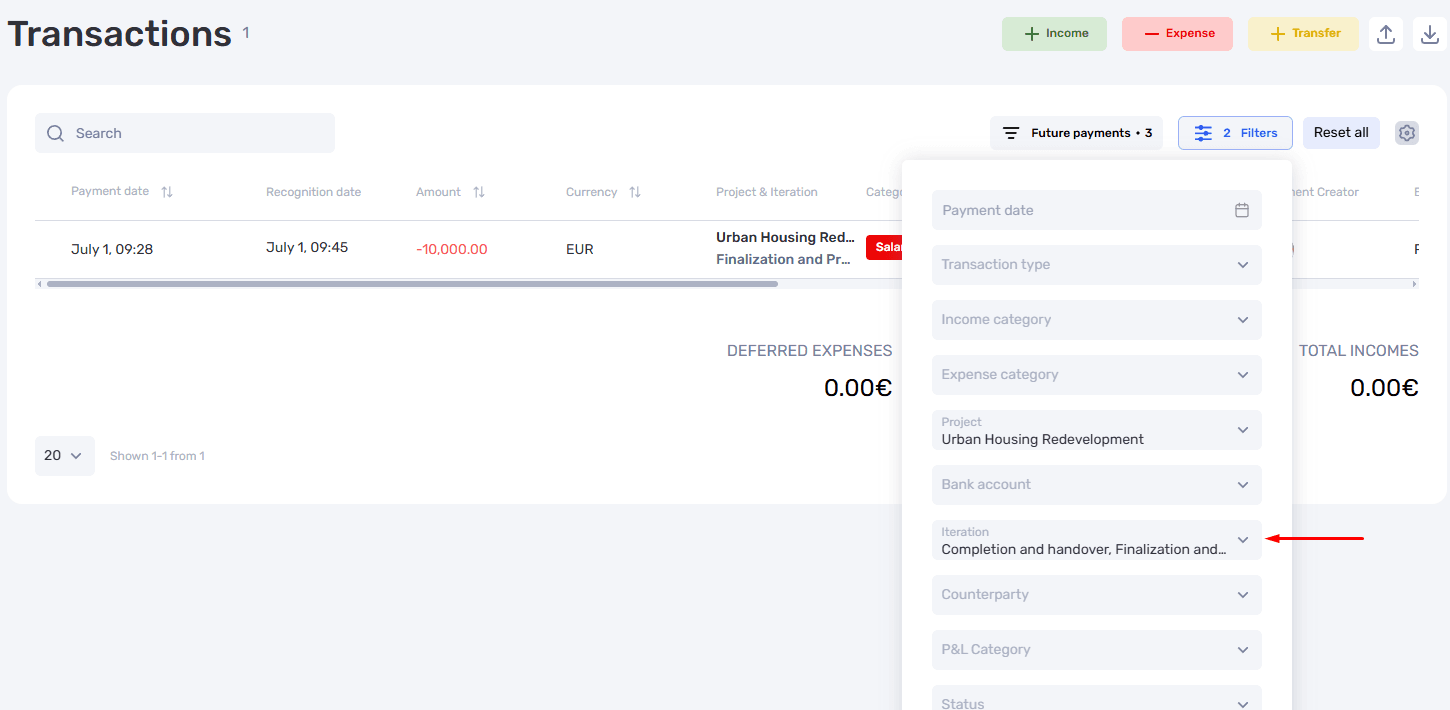
The transaction screen now includes a filter by project iteration.
Finances
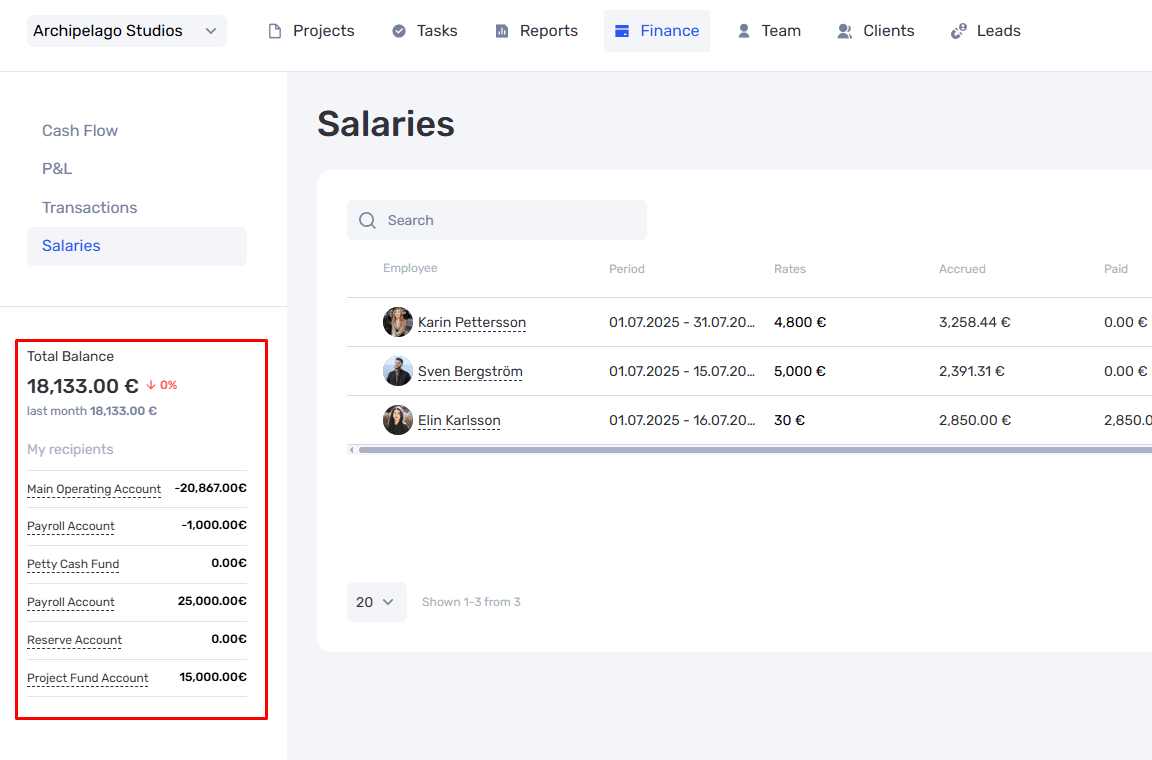
The payroll screen now displays the company’s balance and account balances.
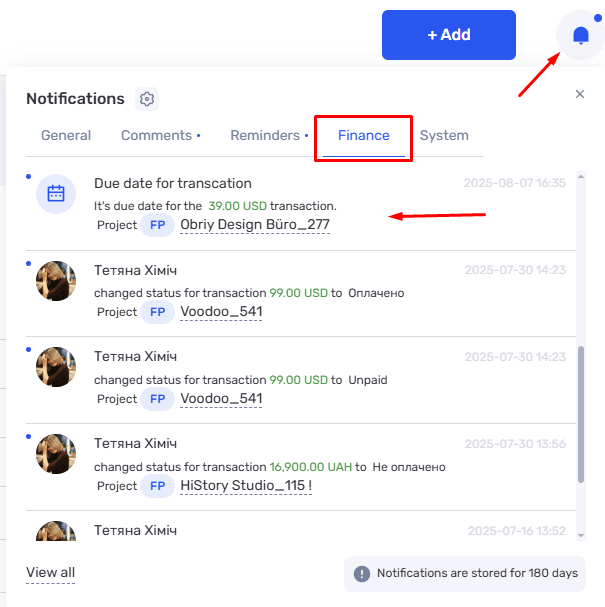
Notifications now include a separate Finances tab and new types of alerts — for example, reminders about upcoming payment dates.
Working with dates
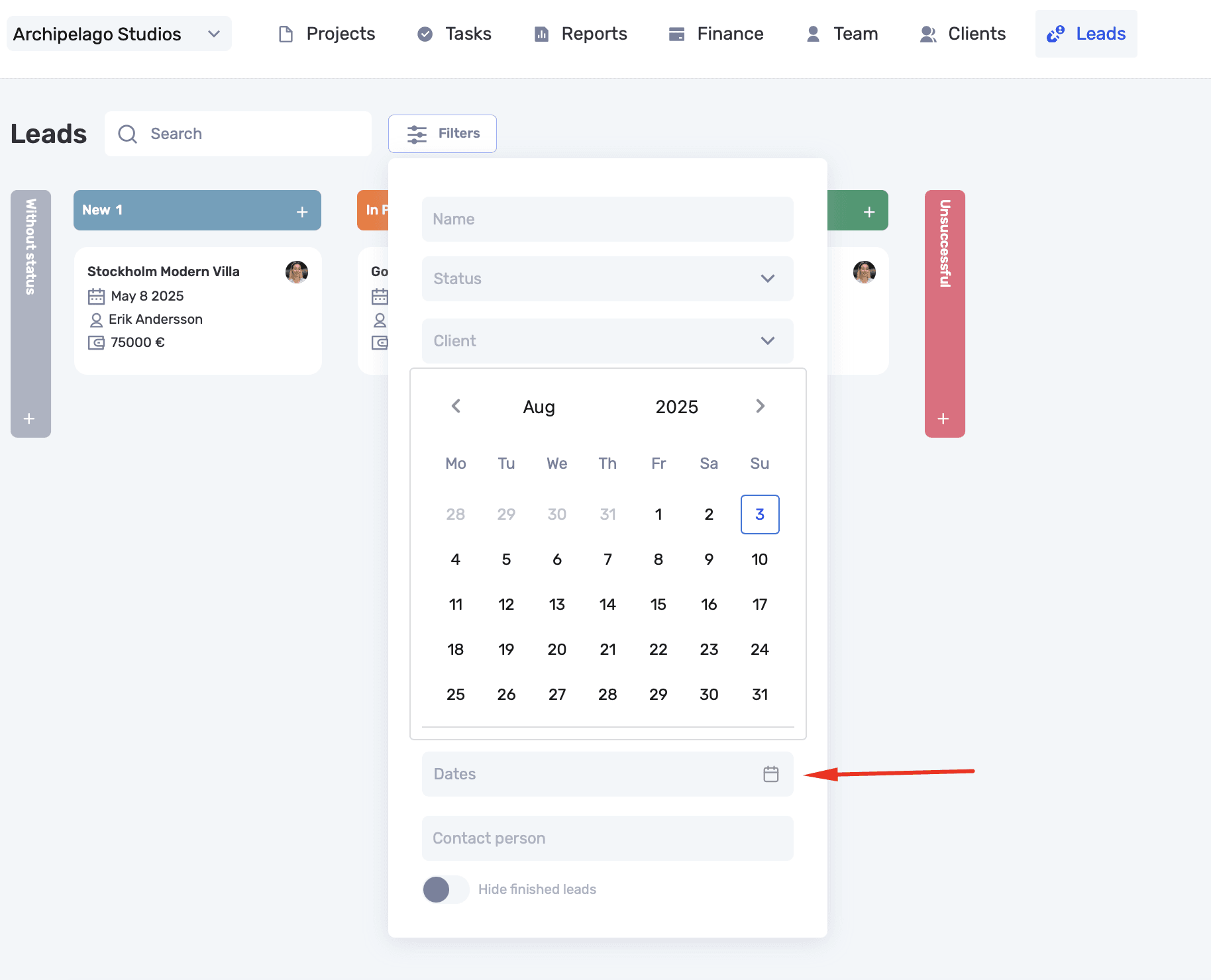
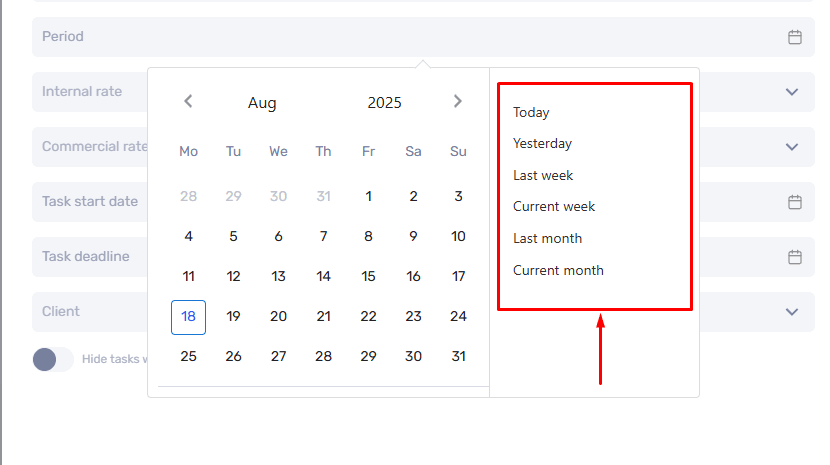
Filters with date ranges now include quick options: “today”, “yesterday”, “this week”, “last week”, “this month”, and “last month”.
Author
Vladyslav ChesnokovPublished
Aug 18, 2025
Was this update helpful?
Your feedback helps us prioritise what to ship next.
Start your free 7-day trial
No credit card required. Get full access to all features and see how if.team can transform your team's workflow.