
New Time Tracking, Planning, and Project Management Features in if.team
We’ve prepared a series of updates in if.team designed to give you more precise control over time tracking, make team workload planning easier, and allow more flexible customization of workflows to match your company’s processes. Below is a detailed look at each update.
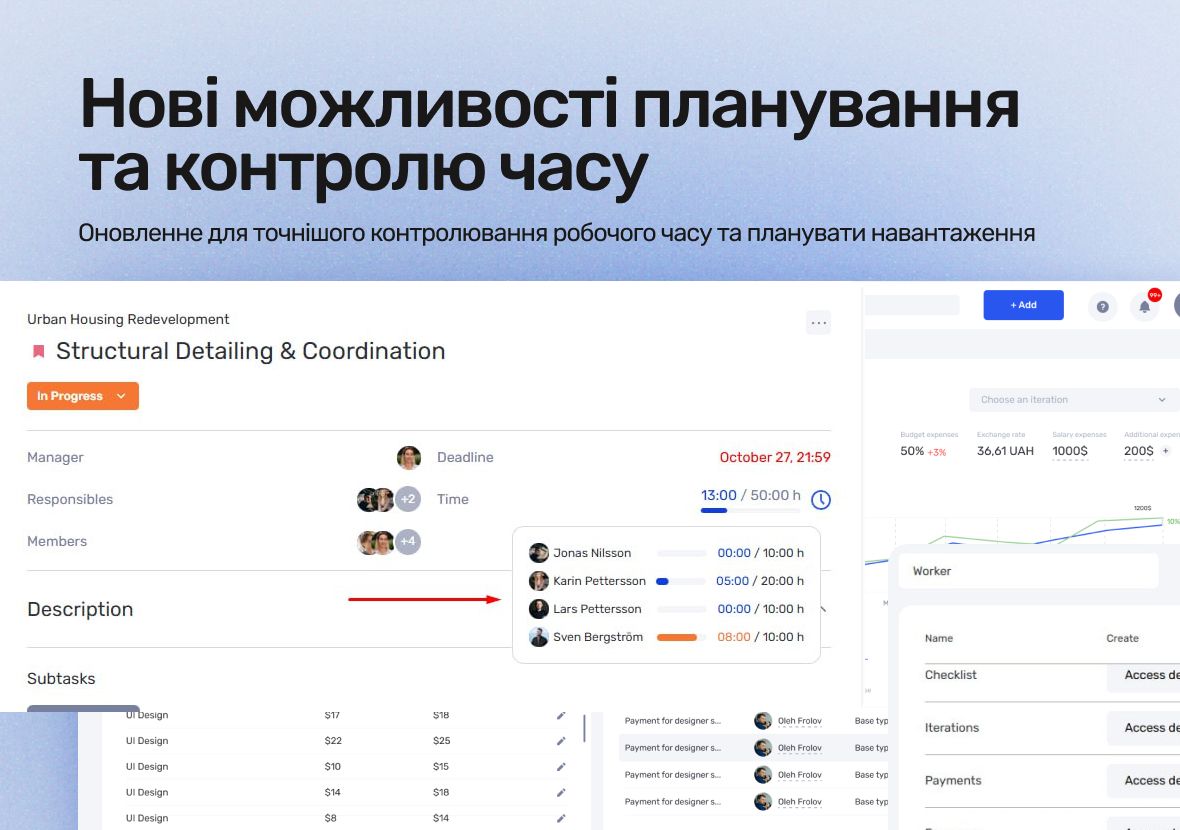
New Permissions for Time Reports
A new permission option has been added to user roles — controlling whether team members can add hours retrospectively in time reports.
Now you can:
- allow employees to log hours after the fact;
- restrict the ability to add hours after work has been completed.
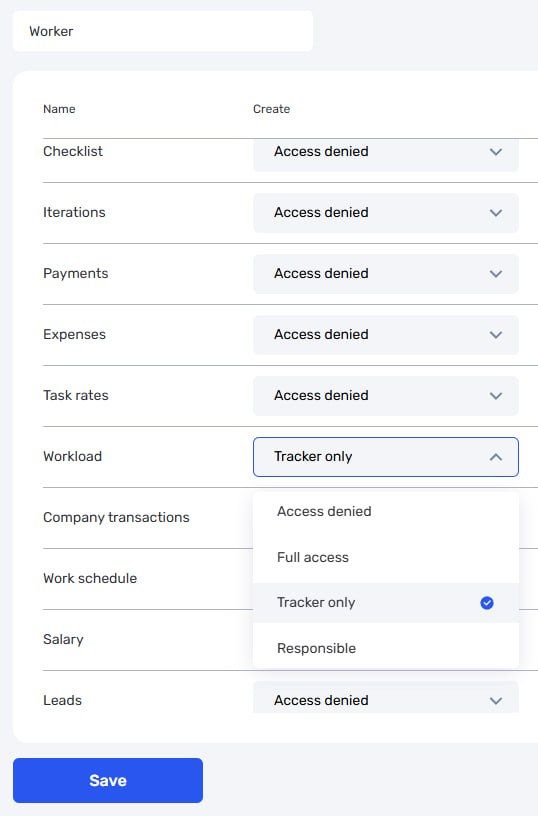
This lets you set up a scenario where a team member:
- can track time only in real-time;
- cannot “backfill” hours later.
For maximum effectiveness, we also recommend disabling the separate permission that allows editing already tracked time. Together, these settings provide stricter and more transparent control over time reports.
Improved Task Hour Planning
We’ve updated the logic for planned hours to make time planning and tracking more accurate and flexible.
Planned Hours for Each Assignee
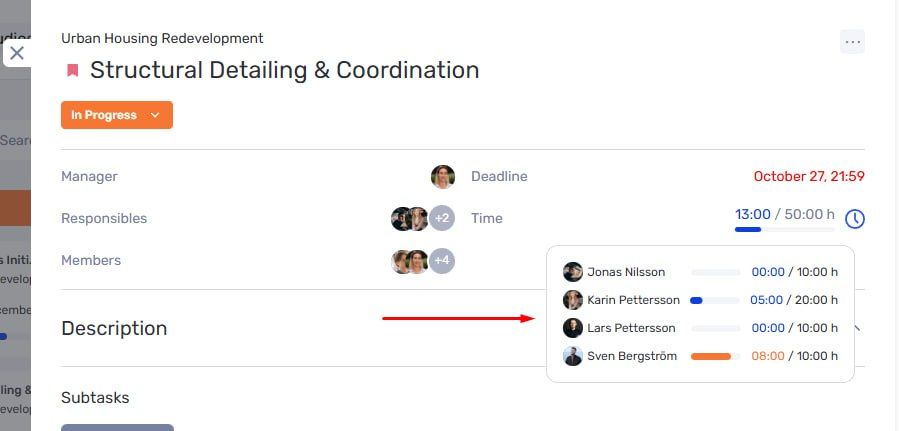
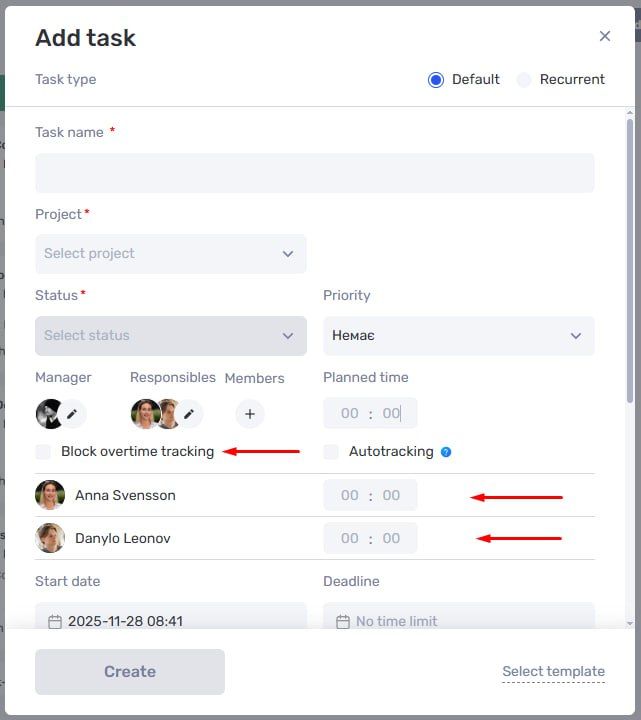
In tasks with multiple responsible team members, you can now set planned hours individually for each person. At the same time, the option to specify the overall expected time for the task remains available, which is useful if you prefer to plan resources without breaking them down per person. This approach lets you choose the planning format that best fits your workflow.
We’ve also refreshed the task window interface:
- the layout is more logical;
- planning and time tracking are easier to manage;
- the overall look is cleaner and more comfortable for daily work.
Limiting Hours Beyond the Plan
A new option has been added in the task editing window to block tracking hours beyond the planned limit.
When this option is enabled:
- an assignee cannot add or track more hours than planned;
- exceeding the planned time is impossible at the system level.
This simplifies workload control and helps ensure team members stay within their planned limits.
Custom Project Statuses
Project statuses can now be customized to match your company’s processes. Previously, statuses were fixed and defined by the system.
In the admin panel, you can now:
- create custom project statuses;
- rename statuses and adjust how they behave;
- mark any status as “final.”
What a Final Status Means
A project in a final status:
- cannot be edited;
- cannot have new tasks added;
- cannot have hours tracked.
If needed, a user with the appropriate permissions can move a project back to an active status to continue work.
Author
Vladyslav ChesnokovPublished
Dec 13, 2025
Was this update helpful?
Your feedback helps us prioritise what to ship next.
Start your free 7-day trial
No credit card required. Get full access to all features and see how if.team can transform your team's workflow.