
New features for rates and task reports
We’ve improved how project rates work and added advanced grouping options in reports.
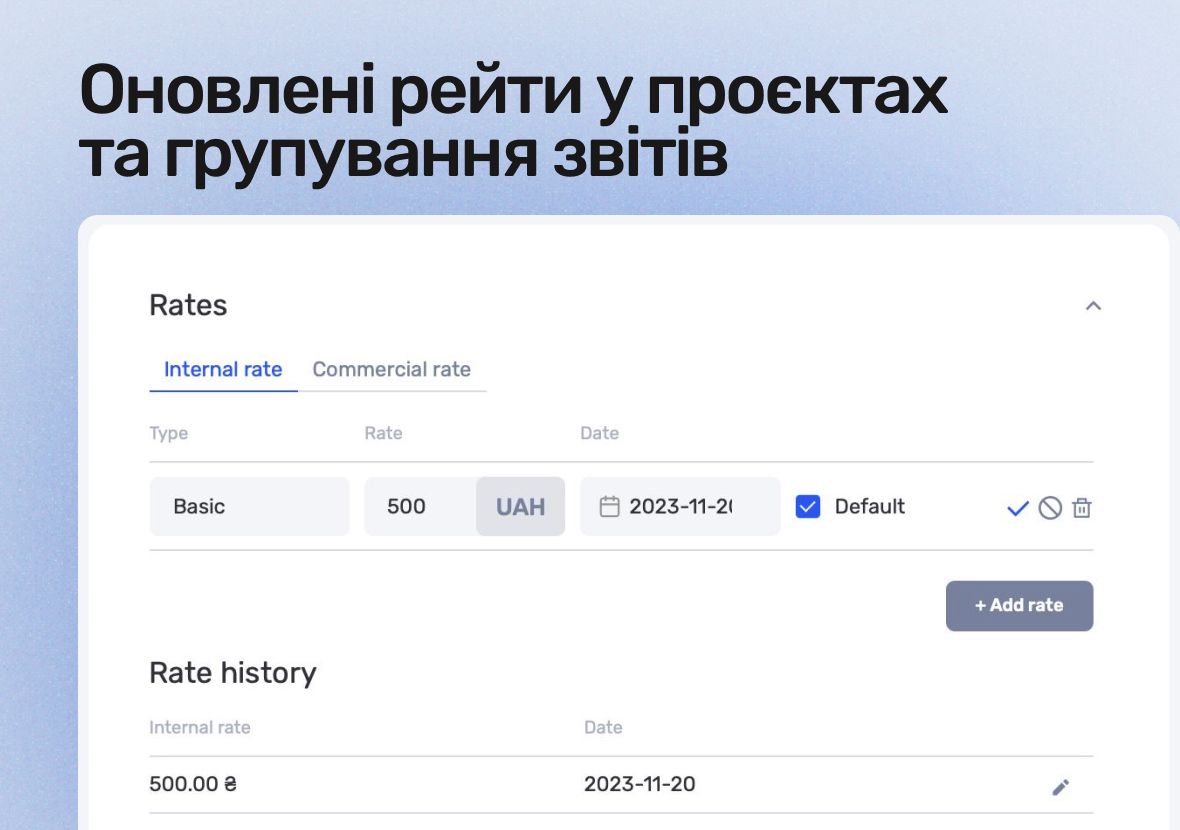
Updated project rates
You can now set default rates — for both internal and external pricing.
- Internal rates can be marked as default, so the rate is automatically applied to all new tasks in a project. This is useful when you want to immediately account for a standard or higher specialist rate — for example, for urgent or weekend work.
- External rates now also support a default flag, allowing the right client-facing rate to be applied automatically, even if a user doesn’t have access to rate details.
Just to recap: an internal rate is the cost per hour of a specialist’s work, while an external rate is the billing rate used for clients in Time & Material projects.
Grouping in task reports
Reports now support grouping and subtotals by:
- project
- team member
This helps you analyze costs, progress, and performance faster — both within individual projects and across your team.
Each grouping type can have its own set of columns and display order, so you only see the information that matters.
Author
Vladyslav ChesnokovPublished
Aug 31, 2025
Was this update helpful?
Your feedback helps us prioritise what to ship next.
Start your free 7-day trial
No credit card required. Get full access to all features and see how if.team can transform your team's workflow.