
New Features, Handy Filters & Fixes: June Update for if.team
Based on your feedback, we’ve enhanced leads, projects, transactions, the interface, and reporting.
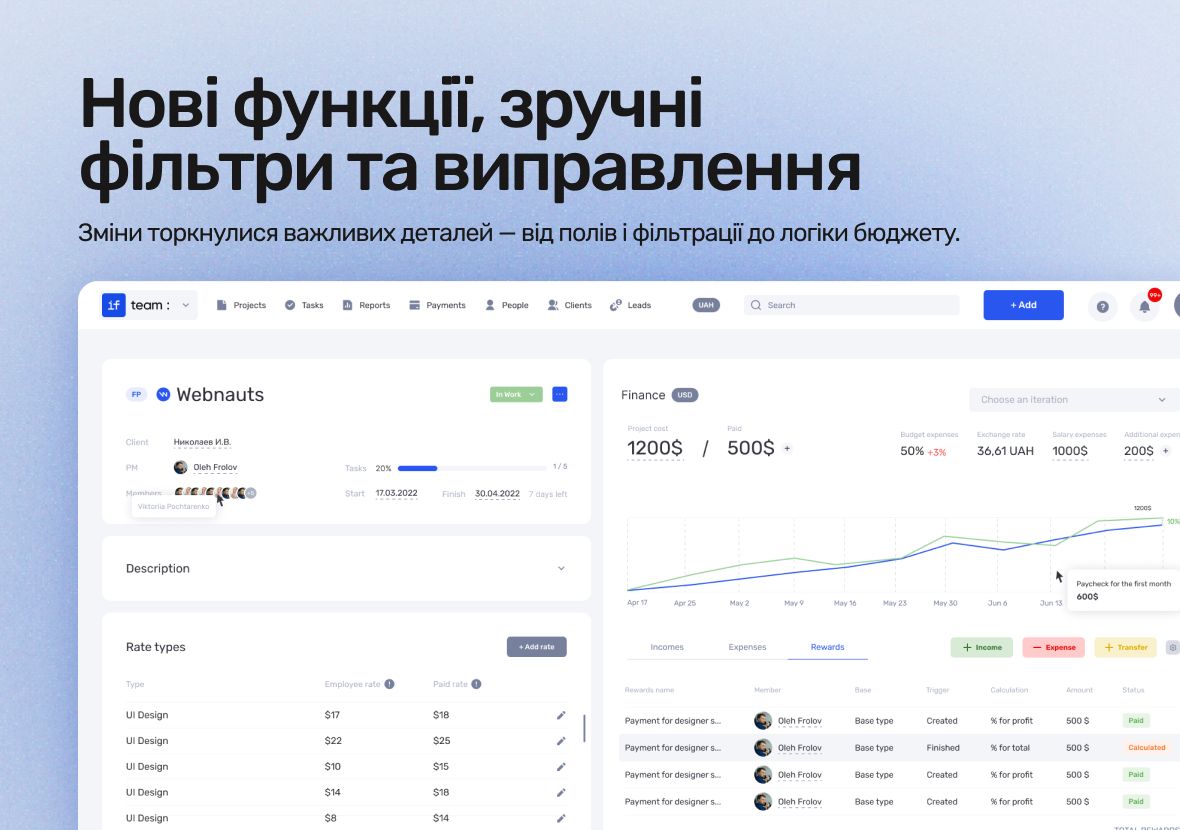
In June, the if.team crew rolled out a host of updates designed to make your daily workflow smoother and more intuitive. Based on your feedback, we’ve enhanced leads, projects, transactions, the interface, and reporting.
This update focuses on practical improvements—not large-scale renovations—but changes you use every day.
What’s New in if.team
if.team has become even more flexible when working with clients, finances, and project phases. We tweaked important details—from custom fields and filtering to budget logic. We’ve also added small but pleasant features, like using Ctrl+V for screenshots.
Leads
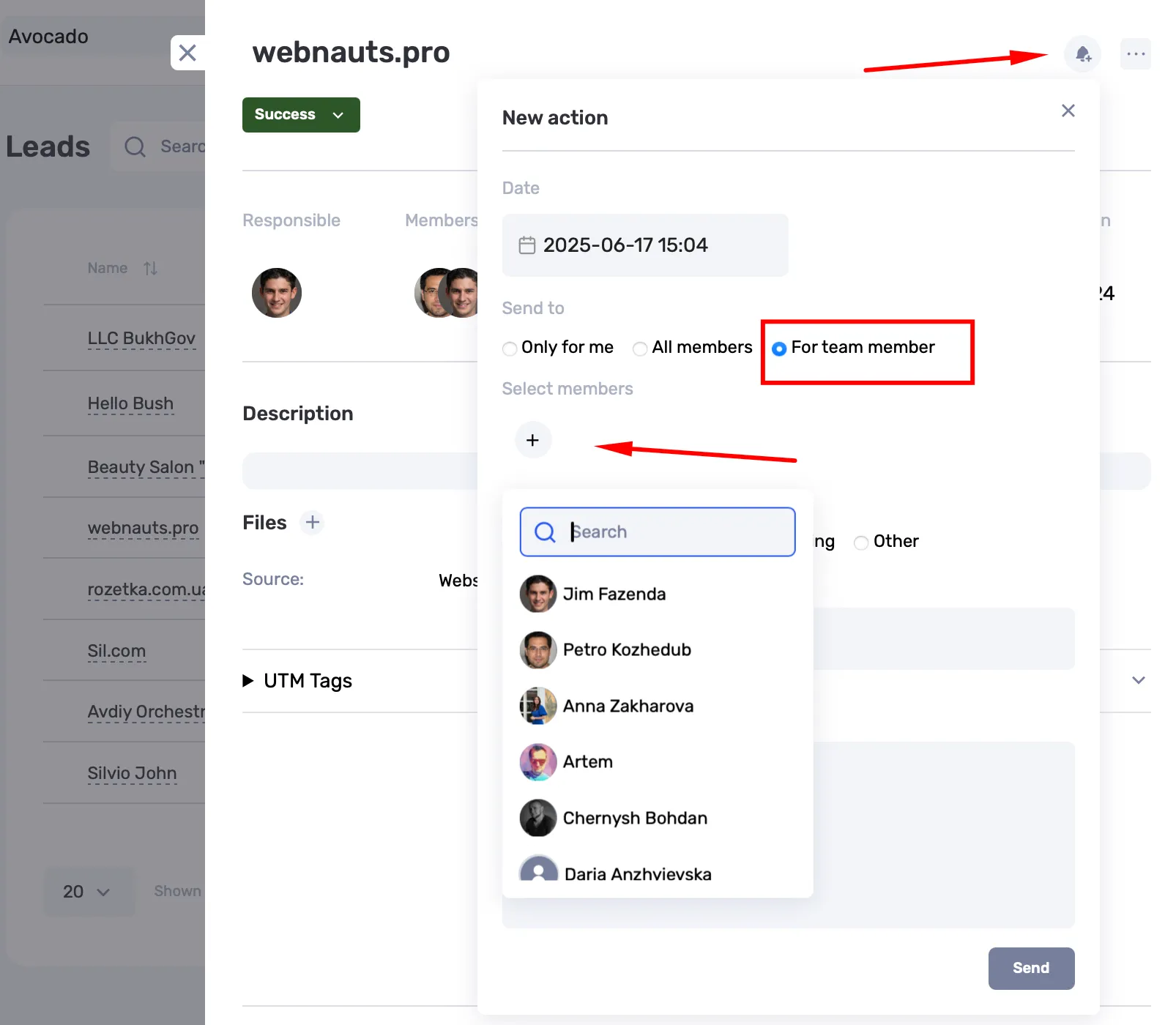
Now you can create events for colleagues who are not lead participants — even if they don’t have access to leads but are involved in the estimate or proposal preparation.
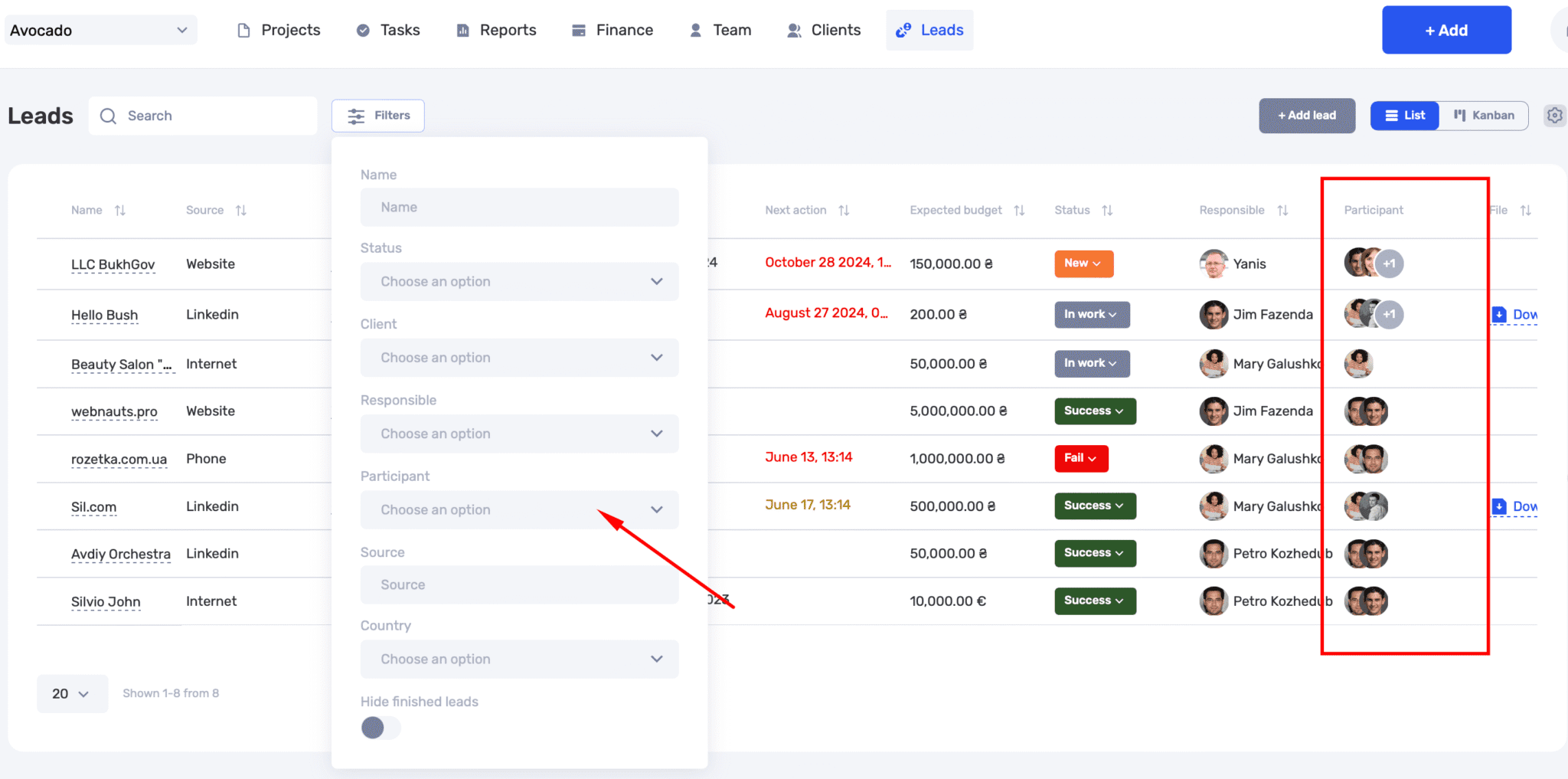
In the leads table, you can now see all participants, not only the responsible person. A participant filter has been added.
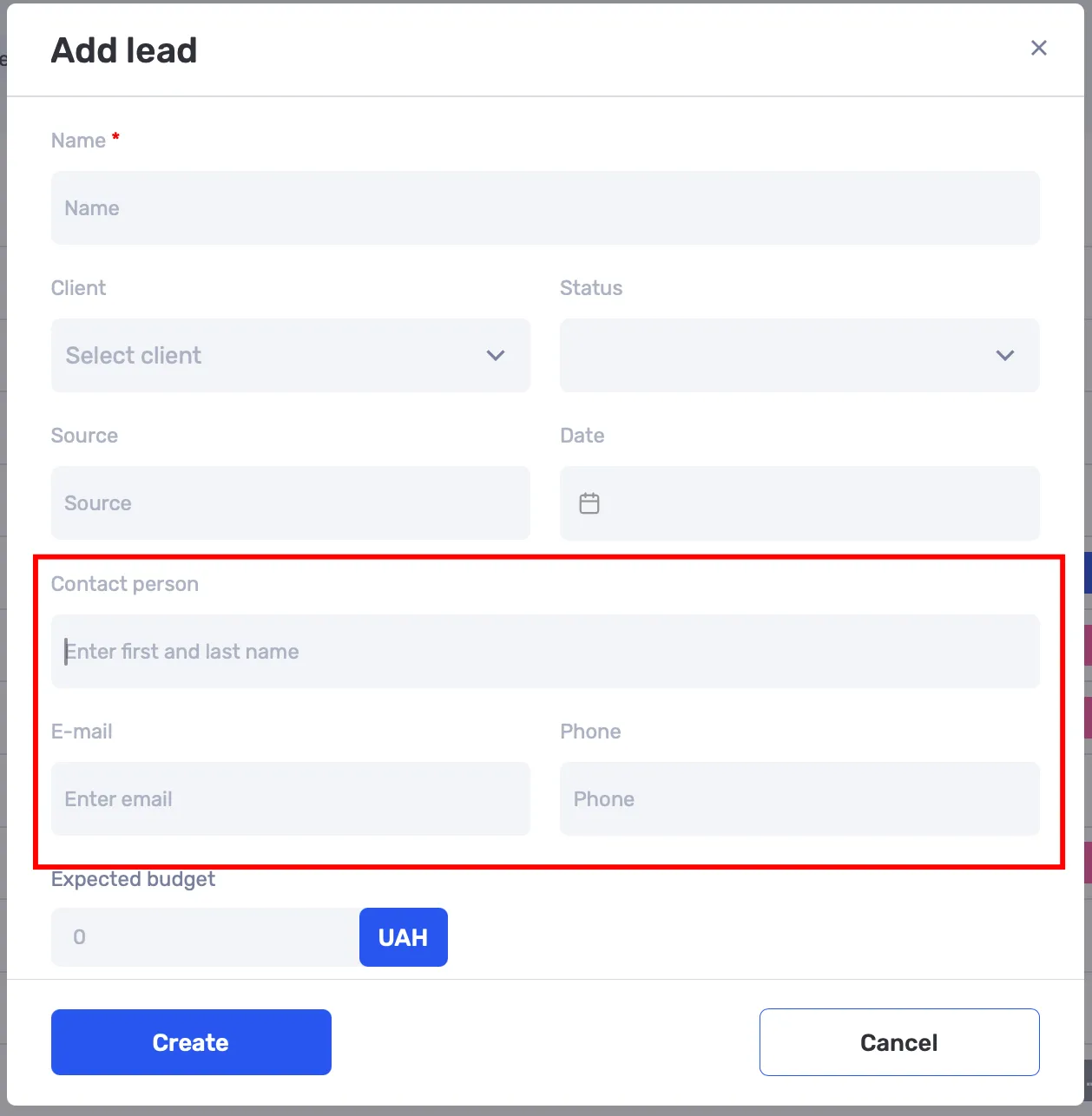
New fields added: contact person, email, and phone. They are visible in the leads list and filterable.
Projects and iterations
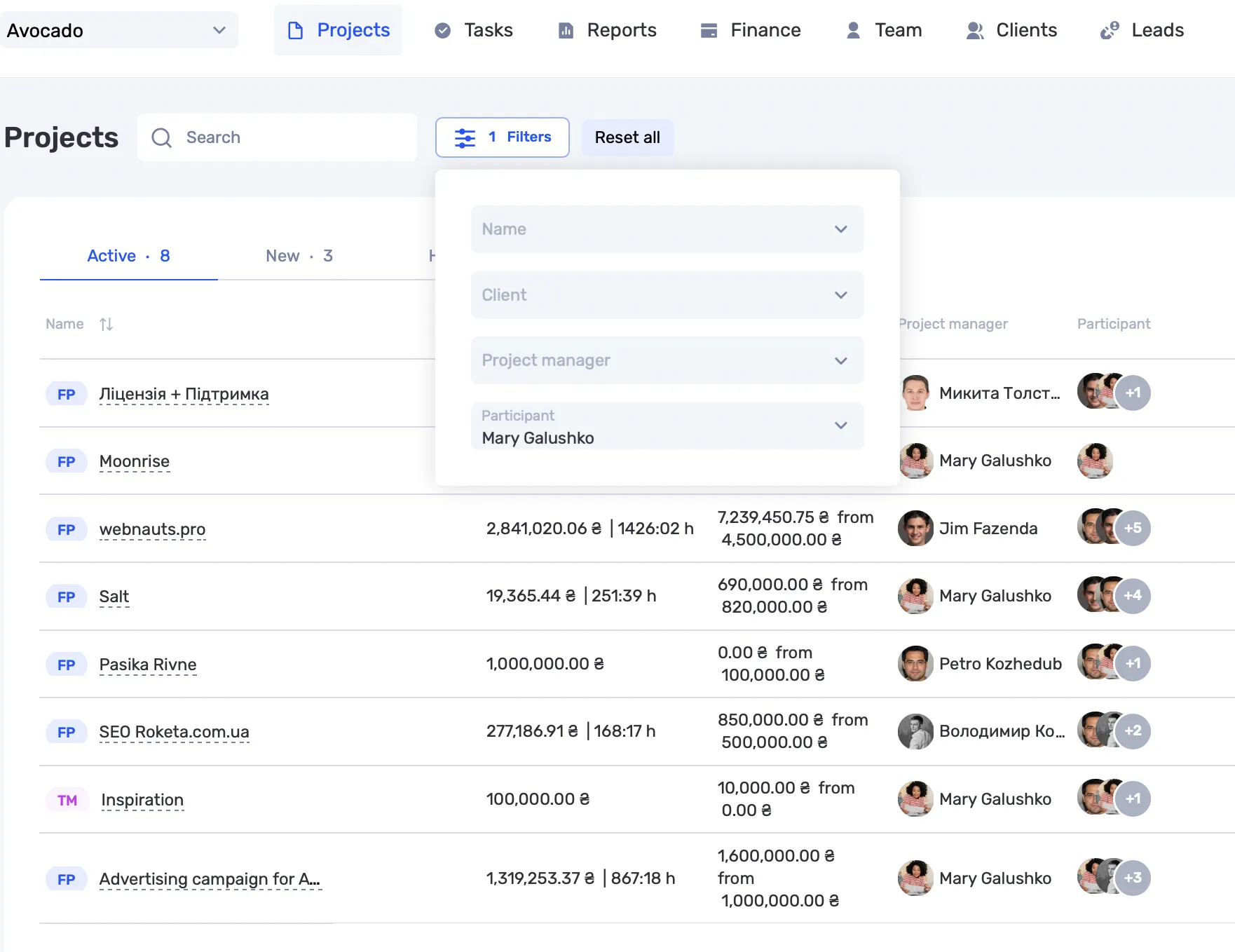
In the projects list, a participant filter and a new column showing participants have been added.
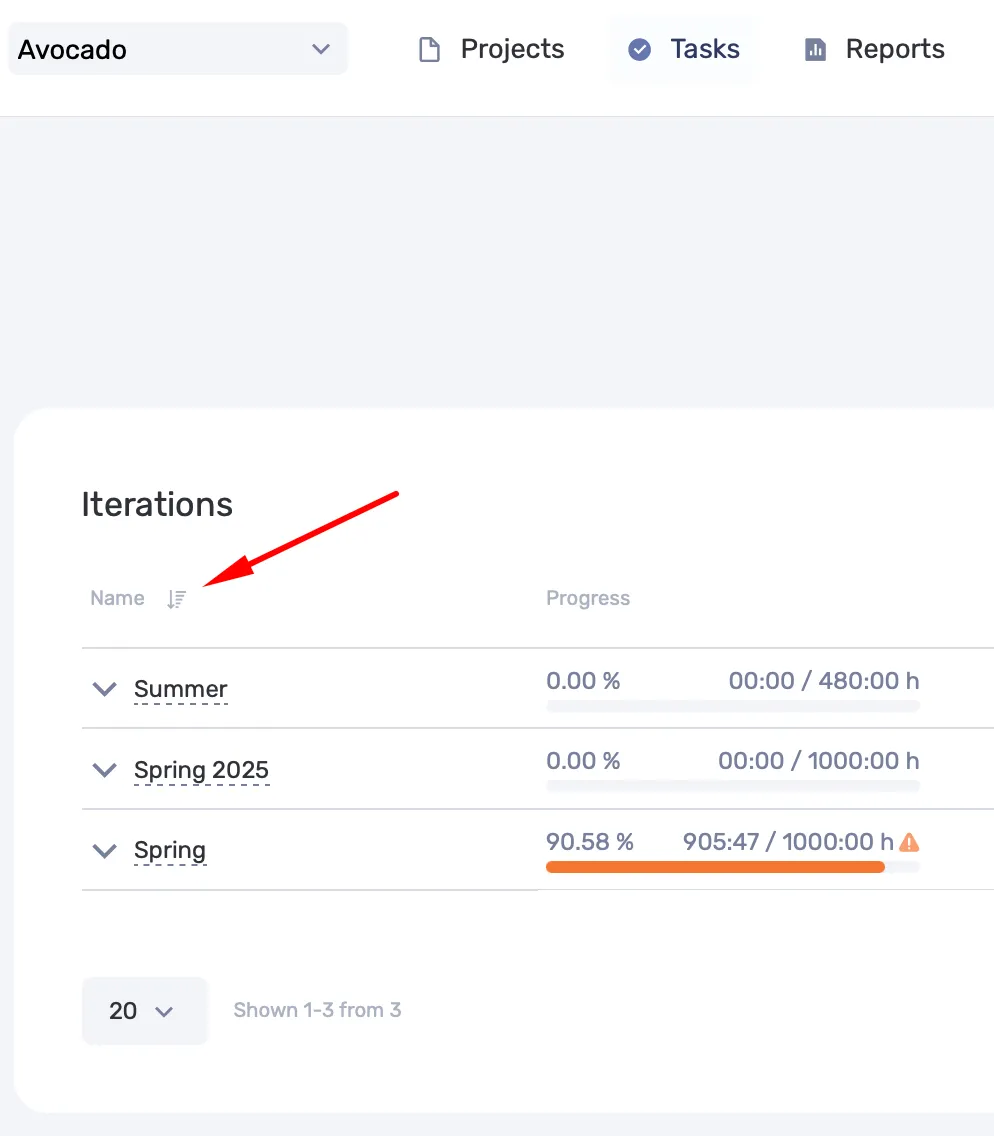
Iterations can now be sorted by name.
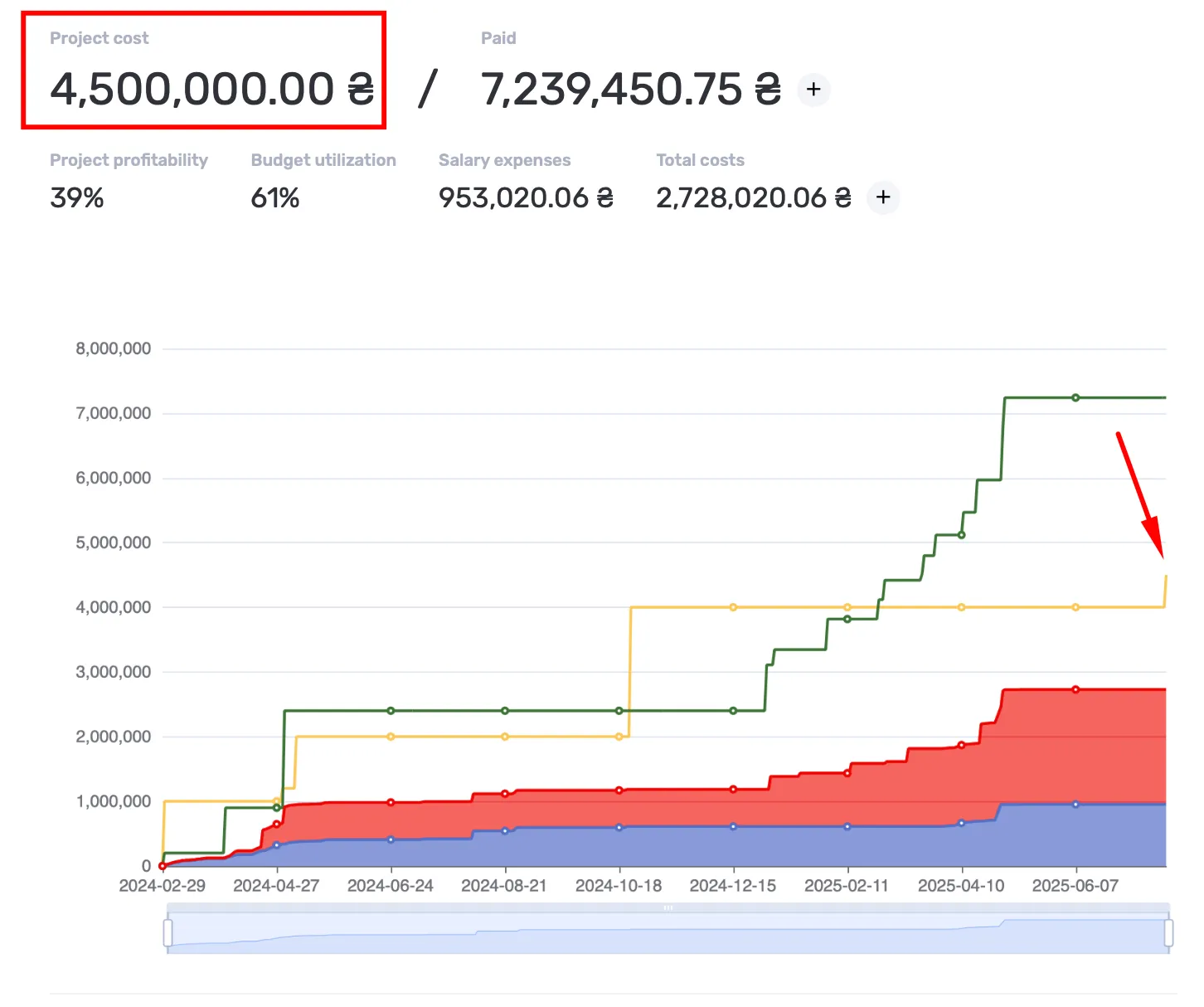
If an iteration starts in the future and has a defined cost, the budget updates immediately and the schedule shows projected growth.
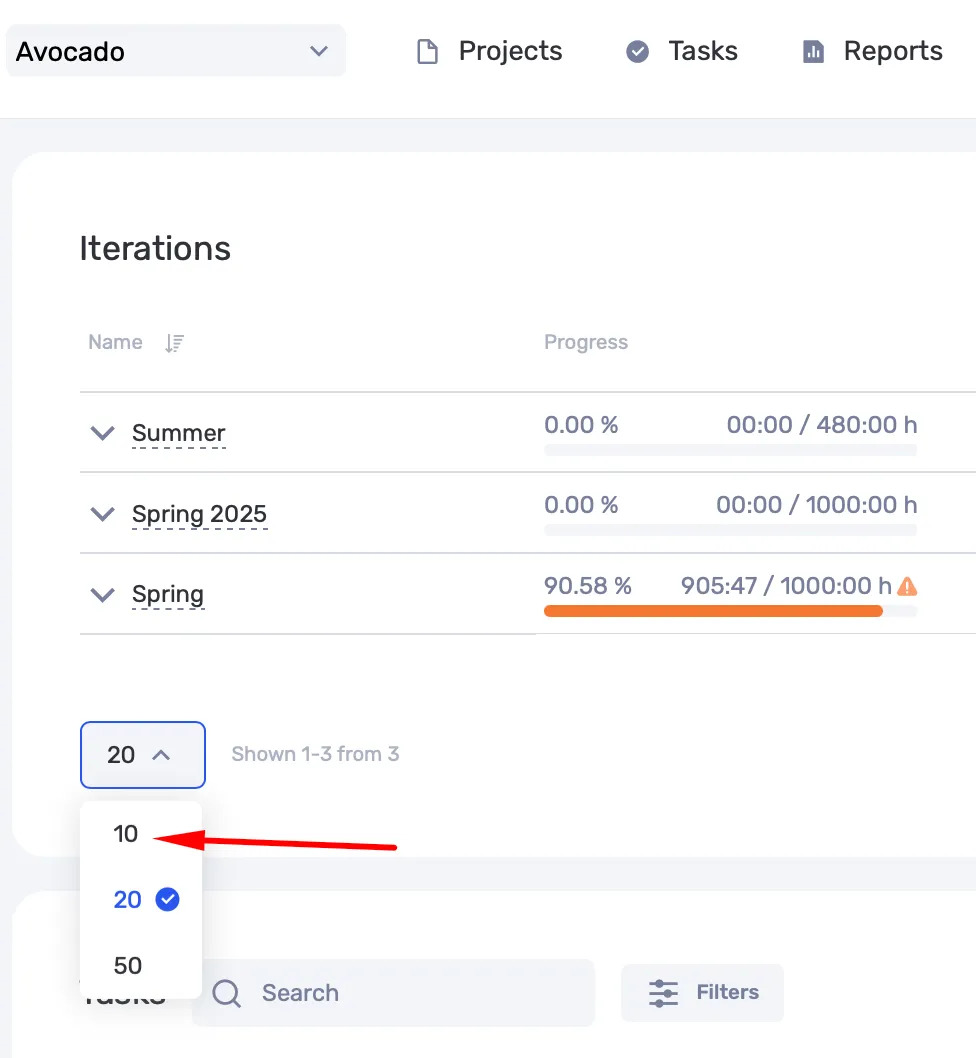
Iterations on the project screen are now displayed 10 per page.
Transactions
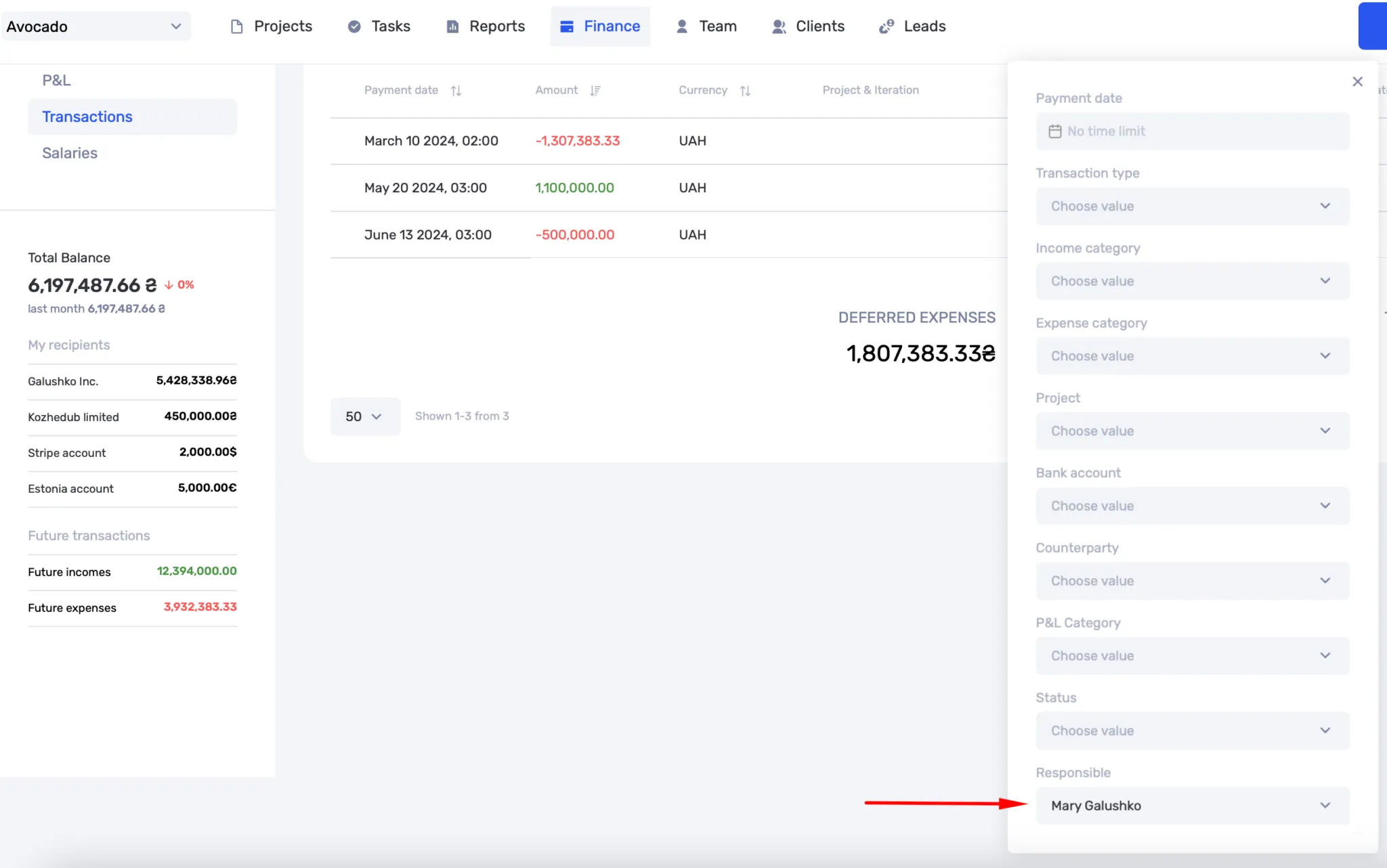
In the transactions section, a filter by responsible person has been added. Filters by counterparties now save correctly.
File handling
In description fields (projects, tasks, transactions, leads), comments, and chat, you can now paste screenshots or files using Ctrl+V or the Paste option from the context menu. In the transactions section, a filter by responsible person has been added. Filters by counterparties now save correctly.
Interface
The filter design has been updated — it has become more compact and convenient, especially when there are many filters.
What has been improved
- Pagination in the employee calendar.
- Project sorting by % of budget used.
- Task creation and editing scenarios with auto-tracking.
- Budget editing in leads and other lead-related actions.
- Correct saving of addresses when editing client and counterparty cards.
- Preserving column width in the iteration list.
- Hiding interface elements when the action is unavailable for the user role.
- A refined interface for the reminder creation window in leads.
Thank you for your feedback!
We continuously improve the platform based on your requests. Thank you for sharing your experience and helping make if.team even more convenient.
Author
Vladyslav ChesnokovPublished
Jun 28, 2025
Was this update helpful?
Your feedback helps us prioritise what to ship next.
Start your free 7-day trial
No credit card required. Get full access to all features and see how if.team can transform your team's workflow.