
Custom Fields In Leads — More Control Over Your Data
You can now create custom fields in lead cards to store the information that matters most to your business.
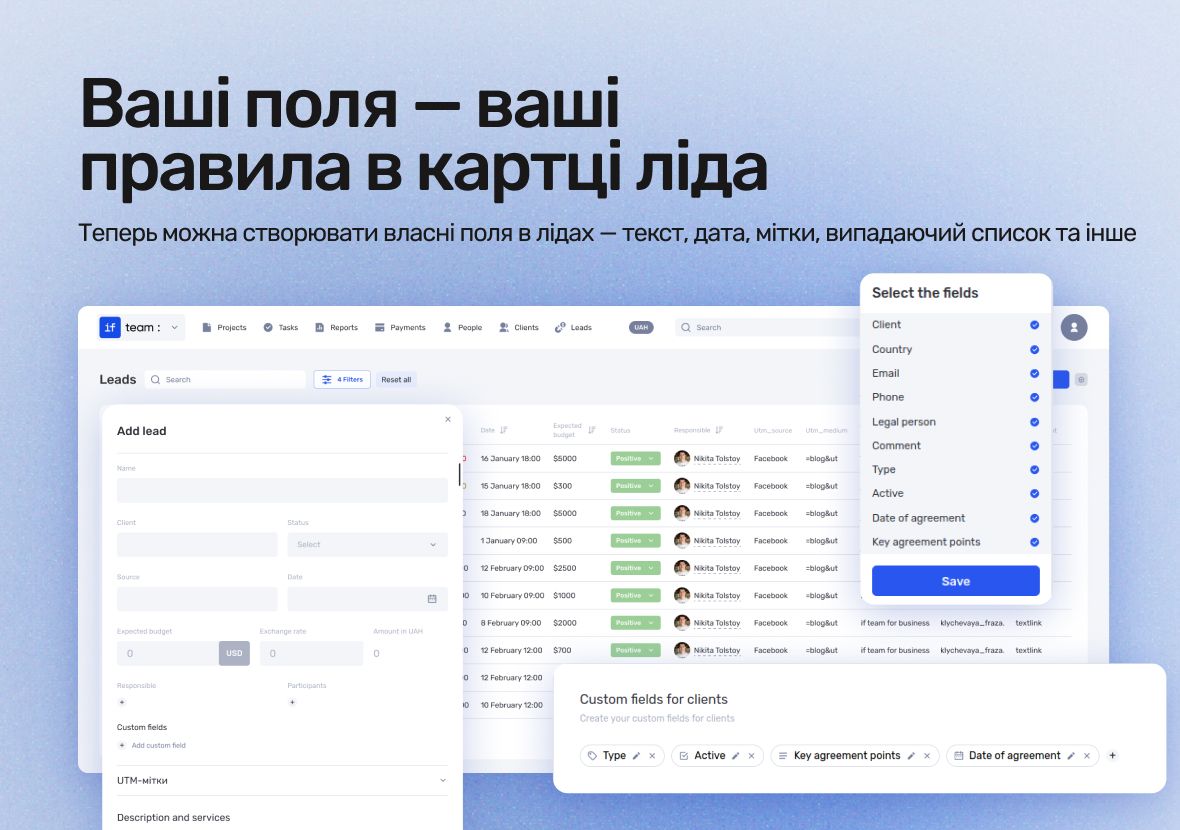
This gives you better control over your sales processes, automates data collection, and boosts your efficiency when working with potential clients.
Thanks to this flexibility, if.team becomes a tool that adapts to your unique business needs — not the other way around.
What’s new in if.team
Custom fields of various types are now available in leads. You can create:
- text fields for short descriptions or titles;
- long text fields for detailed notes;
- checkboxes to mark statuses or facts;
- number fields to store quantities, amounts, or other numeric data;
- dropdown menus to standardize response options;
- date fields to track important deadlines;
- links that open directly from the lead card;
- tags for quick categorization;
- time fields to record precise timestamps.
You can create and edit these fields in the admin panel under Settings. There, you select the field type, assign a name, and configure other parameters.
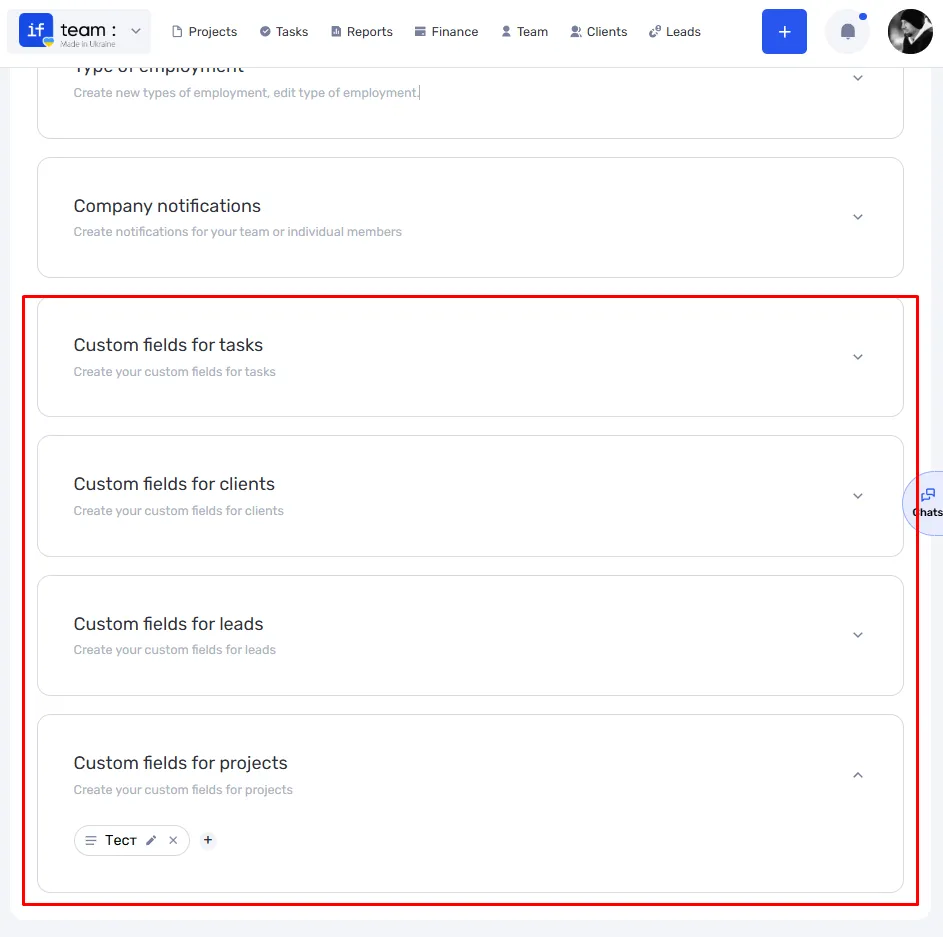
Additionally, you can enable or disable the display of custom fields in the leads table. This helps keep your workspace clean and organized.
How custom fields work in if.team
To start using custom fields in leads, go to the admin panel and open the Settings section. Then select the Custom Fields tab.
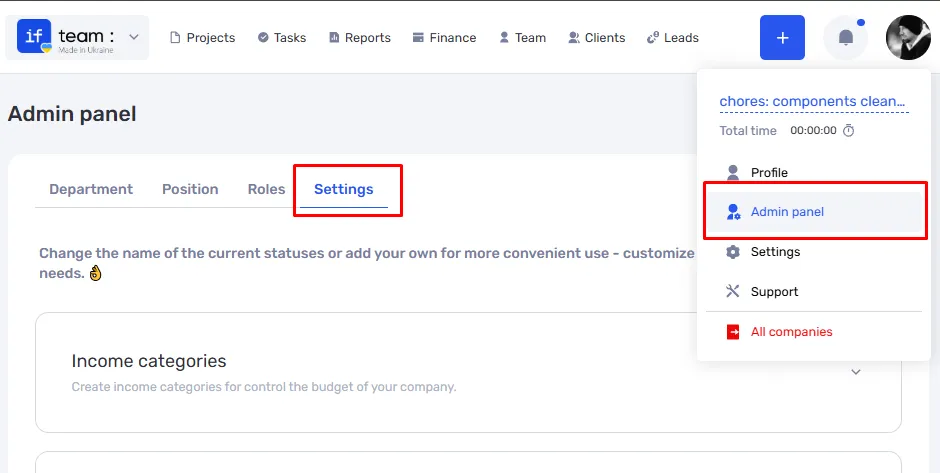
Here, you can create a new field for leads by choosing the type (text, number, checkbox, dropdown, date, etc.), giving it a name, and setting the display order.
Once created, custom fields will automatically appear in lead cards as a separate section. This section can be expanded or collapsed to keep the interface clean and uncluttered.
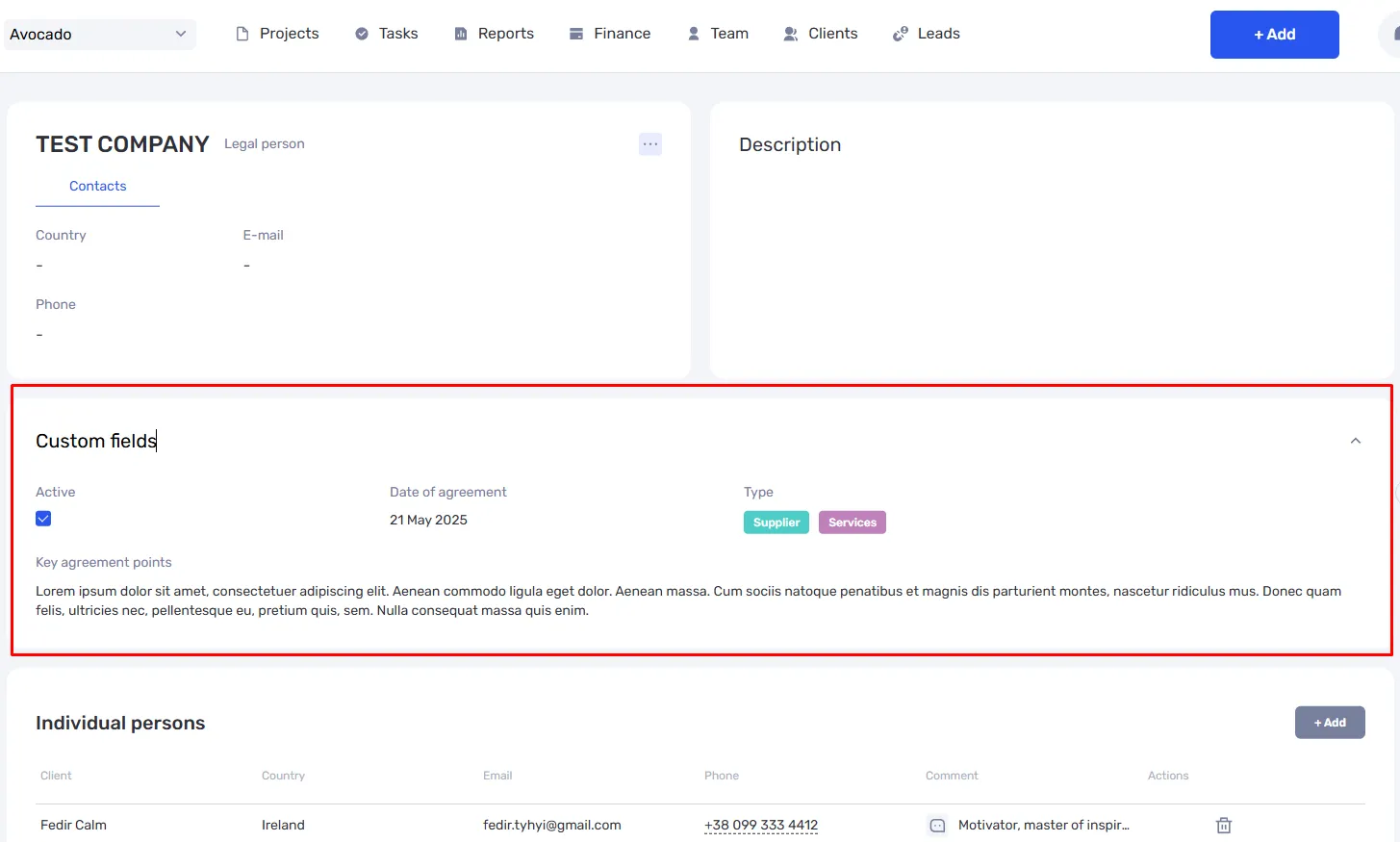
In the leads table, you can toggle the visibility of custom fields on or off. This lets you customize the list view to show only the most important data.
Custom fields give you the flexibility to tailor how information is stored and displayed in leads to fit your business’s specific needs.
Why use custom fields in if.team
Custom fields in leads are a key tool for organizing your work with potential clients. They help you store and structure exactly the information your business needs.
With custom fields, you can:
- Collect unique data about leads that don’t fit into standard fields.
- Keep all essential information at your fingertips — no more searching or paperwork.
- Customize the interface to display only what matters most.
These features boost your team’s efficiency, standardize workflows, and make data analysis easier. The result? A faster, clearer, and more effective business.
Start using custom fields today
Introducing custom fields in leads opens new opportunities for your business. You get a tool that lets you easily collect and organize the information that matters most to you.
No more wasting time searching through messy notes — everything you need is always within reach. Custom fields help speed up lead processing and make your team’s work more transparent and effective.
Check out the new features in settings now and tailor your CRM to fit your needs. It’s a simple step that will greatly improve your business processes and help you work more efficiently with potential clients.
Author
Vladyslav ChesnokovPublished
Jun 11, 2025
Was this update helpful?
Your feedback helps us prioritise what to ship next.
Start your free 7-day trial
No credit card required. Get full access to all features and see how if.team can transform your team's workflow.